Für Malerbetriebe

Schluss damit, dass Angebote im Posteingang sterben.

Senden Sie einen Client-Hub-Link. Am Handy öffnen, Räume genehmigen, Anzahlung zahlen. Kein Nachfassen mehr — und Farbe kaufen Sie erst, wenn gezahlt wurde.
  • 14 Tage gratis · keine Karte
  • Am selben Tag live
  • Datenimport inklusive
Das Problem

Interior quotes don’t die because you can’t paint. They die in email.

  • Room-count quotes sitting unread while another crew books the slot
  • “Can you also do the hallway?” with no revised total
  • Paint and materials bought before a deposit lands
  • Before/after photos trapped on a crew phone when a customer disputes a wall
  • Two sites running, no shared board for who is where
So funktioniert’s

From walkthrough to paid — without the inbox chase.

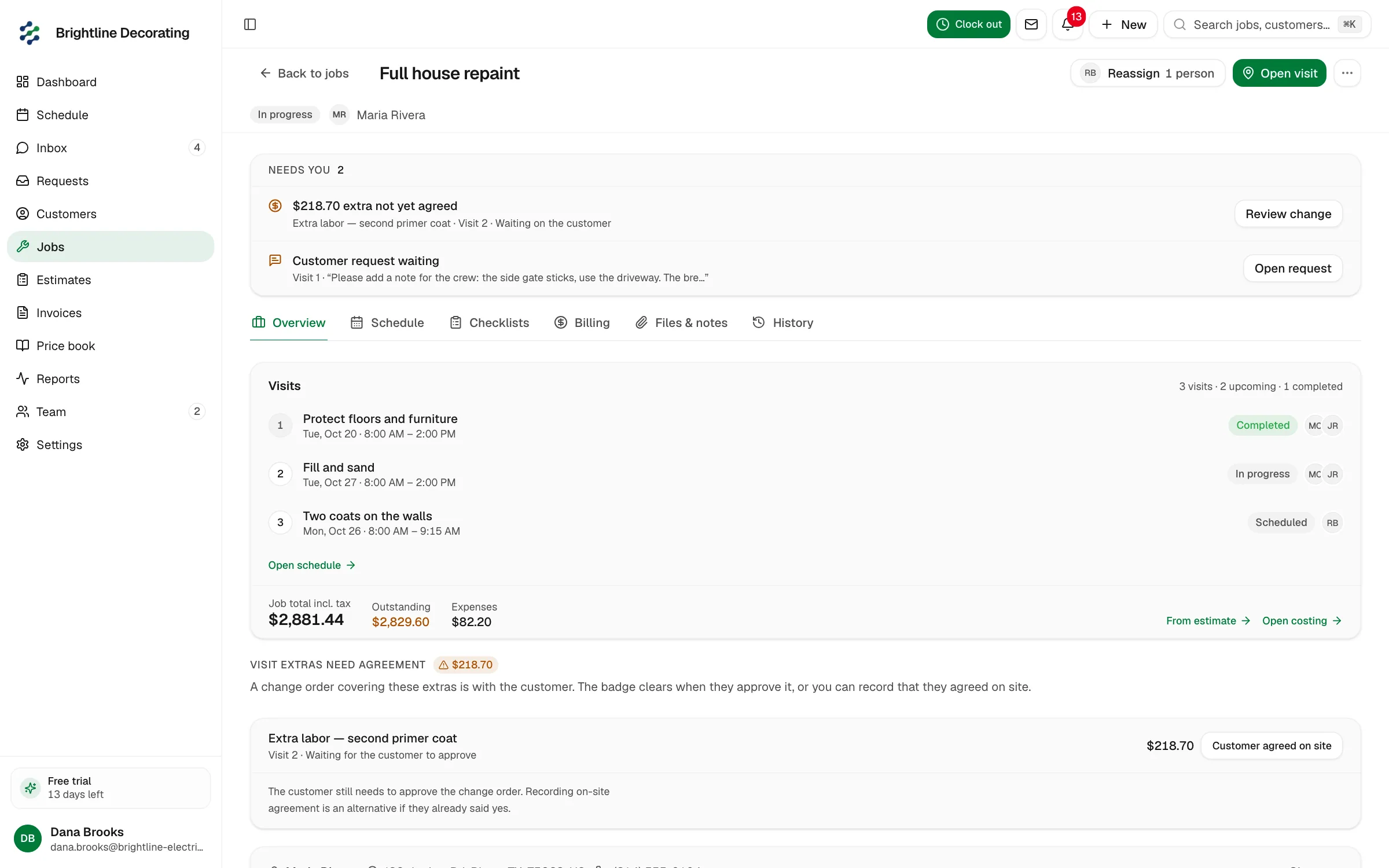
Room-level estimate, approval on their phone, deposit before materials, photos on the job, progress invoices by coat.

01

Quote

Estimate by room and surface — not a vague lump sum.

Line items or a pricing form for rooms, prep, and extras. When they add a hallway, the total updates before you leave the property.

  • Rooms
  • Prep options
  • Live total
See quoting

02

Client Hub

They open the quote. They don’t bury it.

One magic link — no password, no app to install. Approve, optional e-sign, pay the deposit. Follow-ups sit on the estimate, not in your sent folder.

  • Approve
  • Sign
  • Pay deposit
See Client Hub

03

Schedule

Two houses, one board.

A column per painter. Interior this week, exterior next — hours booked so you stop promising Friday when the crew is already on a scaffold.

  • Day board
  • People columns
  • Hours booked
See scheduling

04

Job · Files

Before/after lives on the job.

Prep shots and finished rooms attach to the visit. Useful for reviews, extras, and the “that wall was already marked” conversation.

  • Photos
  • On the visit
  • Share with invoice
See the field app

05

Job · Money

Deposit before the paint order. Progress by phase.

Collect at approval, then invoice prep, first coat, or final — remaining balance on the same painting job.

  • Deposit
  • Progress
  • Final
See getting paid
Was enthalten ist

Room quotes, deposits, crews, and before/after photos.

Room-level quotes that can change on site

Price book + forms for interiors, exteriors, and commercial touch-ups. Add a room without rebuilding the PDF from scratch.

Quotes that get a decision

Client Hub is a link, not an attachment. They see the rooms, the total, and the deposit button. You see who opened it and what’s unpaid.

Crews across sites

Day board with people columns. Know who’s on the exterior elevation before you take another interior start.

Photo proof on the record

Before/after on the job — not in a personal camera roll when the customer emails six weeks later.

Don’t buy paint until they’ve paid

Growth deposits at signature. Progress invoices for longer jobs. Starter pay links for smaller rooms and touch-ups.

Walkthrough to draft on Pro

Dictate the rooms; AI drafts the estimate summary. You approve before the customer sees it.

Was anders ist

Other software sends a nicer PDF. The quote still dies.

Painting isn’t a one-hour call-out. You need a decision, a deposit, and a board that shows two sites. Most job apps stop at “send estimate”.

  • Andere Software

    Estimate PDF in the inbox, then silence

    Jomioz

    Client Hub link — approve and pay on their phone

  • Andere Software

    Extras agreed verbally, never on the total

    Jomioz

    Revise rooms and lines, then get approval before you paint them

  • Andere Software

    Paint ordered on a handshake

    Jomioz

    Deposit at signature, then you order the paint

  • Andere Software

    Photos on crew phones; disputes with no proof

    Jomioz

    Before/after attached to the job the invoice came from

  • Andere Software

    Generic field app with a roller icon

    Jomioz

    Room quotes, coat-stage invoices, multi-site day board

Warum Betriebe uns vertrauen

Was im Plan steckt — und was nicht.

Planung, Angebote, Rechnungen, Zahlungslinks, Erinnerungen und Client Hub sind in jedem Plan. Anzahlungen, Abschlagsrechnungen, Stundenzettel und Xero sind in Growth. Sprach-Entwürfe und tieferes Reporting sind in Pro.

  • Sie entscheiden, wer was siehtSie steuern den Zugriff. Exportieren oder löschen Sie Ihre Daten jederzeit.
  • USt.-fertige AbrechnungNetto-/Brutto-Summen, Aufschlüsselung nach Steuersätzen, Reverse-Charge auf Rechnungen.
  • KartenzahlungenKarte, Apple Pay und lokale Wallets über Jomioz Payments.
  • Ihre Daten, exportierbarCSV-Exporte für Kunden, Aufträge, Rechnungen — jederzeit mitnehmen.
  • Ihre Daten bleiben IhreJeder Betrieb hat seinen eigenen Bereich. Sie steuern, wer Aufträge und Geld sieht.

Plan wählen. Schneller bezahlt werden.

Starter führt den Tag, sendet Zahllinks und enthält den Client Hub. Growth holt Anzahlungen, Buchung und Xero. Pro ergänzt KI-Entwürfe und tieferes Reporting. Jeder Plan enthält Plätze und 14 Tage Test.

14-Tage-Test · Jederzeit kündbar · Keine Karte

MonatlichJährlich20 % sparen

Die meisten Betriebe finanzieren das Abo mit einem zusätzlichen Auftrag pro Monat.

Starter

For crews who want the basics

49
pro MonatJederzeit kündbar · zzgl. Steuern
Jetzt kostenlos testen

Oder €468/Jahr (sparen Sie €120)


  • Schedule board and dispatch
  • Live job status for office and field
  • Customers and job sites
  • Job notes, photos, and files
  • Leads and work-request pipeline
  • Day-to-day estimates
  • Day-to-day invoices
  • Client Hub — customers approve online
  • Client Hub — e-sign documents
  • Client Hub — pay and message you
  • Online pay links on every invoice
  • Automatic invoice payment reminders
  • Email tied to the job, not a shared inbox
  • Price book for materials and labour
  • Mobile app for office and field
  • Export your data anytime
  • Email support
  • 2 Personen inklusive · +€19/Mon. je weitere Person
Am beliebtesten

Growth

Get paid as the job moves — most crews start here

129
pro MonatJederzeit kündbar · zzgl. Steuern
Jetzt kostenlos testen

Oder €1236/Jahr (sparen Sie €312)


  • Everything in Starter
  • Schedule board, dispatch, and live job status
  • Customers, job sites, notes, and photos
  • Leads and work-request pipeline
  • Day-to-day estimates and invoices
  • Client Hub — approve, e-sign, pay, and message
  • Your branding on the Client Hub
  • Online pay links on every invoice
  • Automatic invoice payment reminders
  • Refunds from the payment record
  • Deposit invoices when the quote is accepted
  • Progress invoices as the job moves
  • Final invoice when the work is done
  • Payment plans for bigger jobs
  • Charge the card on file
  • Field payments from the job site
  • Online booking forms for new work
  • Request forms that land as leads
  • Estimate follow-ups that nudge without chasing
  • Time tracking against the job
  • Recurring jobs on the calendar
  • Billing automation on deposits and reminders
  • Xero sync for accounting
  • Integrations and API access
  • Price book for materials and labour
  • Export your data anytime
  • CSV-Import für Kunden und Aufträge
  • Email support
  • 5 Personen inklusive · +€19/Mon. je weitere Person

Pro

AI estimates, reporting, and multi-crew control

249
pro MonatJederzeit kündbar · zzgl. Steuern
Jetzt kostenlos testen

Oder €2388/Jahr (sparen Sie €600)


  • Everything in Growth
  • Schedule board, dispatch, and live job status
  • Customers, job sites, notes, and photos
  • Client Hub — approve, e-sign, pay, and message
  • Your branding on the Client Hub
  • Online pay links and invoice reminders
  • Refunds from the payment record
  • Deposit invoices when the quote is accepted
  • Progress invoices as the job moves
  • Final invoice when the work is done
  • Payment plans for bigger jobs
  • Charge the card on file
  • Field payments from the job site
  • Online booking forms for new work
  • Request forms that land as leads
  • Estimate follow-ups that nudge without chasing
  • Time tracking against the job
  • Recurring jobs on the calendar
  • Billing automation on deposits and reminders
  • Xero sync for accounting
  • AI photo estimates — you review before send
  • AI dictate estimates — you review before send
  • Higher AI allowance for busy weeks
  • Custom fields on jobs
  • Custom fields on customers
  • Custom fields on invoices
  • Route optimization for the day's stops
  • Map measure on site
  • Revenue reporting for the business
  • Advanced reporting and CSV exports
  • Recurring service / maintenance plans
  • Custom roles for office and field
  • Organization audit log — who changed what
  • Integrations and API access
  • Price book for materials and labour
  • Export your data anytime
  • CSV-Import für Kunden und Aufträge
  • Email support
  • Larger crews: contact us for volume pricing
  • 10 Personen inklusive · +€24/Mon. je weitere Person
Fragen

Häufige Fragen

Can I estimate by room?

Yes. Use line items or a pricing form for rooms, surfaces, and prep. If they add space, update the estimate and send it back to Client Hub.

How do I stop quotes going cold?

Send the Client Hub link instead of a PDF attachment. They can approve and pay without creating an account. Reminders sit on the invoice/estimate — you’re not rebuilding the chase in Gmail.

Do you handle exterior and light commercial?

Same job record. Scale the estimate and billing. Progress invoices work when a facade takes more than one visit.

Why not just use the job software we already demoed?

If that tool emails PDFs and treats deposits as a later invoice, quotes will keep dying. Jomioz is built around approval + deposit on the same link, then the schedule and photos on that job.

Where do photos go?

On the job and visit. Client Hub already shares estimate and invoice PDFs. It does not automatically list every file from the job Files tab.

Jomioz fürs Handwerk

Send the next quote as a link they can actually finish.

14-day trial. No credit card. One walkthrough → Client Hub → deposit this week.

Keine Karte · Jederzeit kündbar