Para pintores

Deja de dejar morir los presupuestos en la bandeja.

Envía un enlace de Client Hub. Lo abren en el móvil, aprueban las estancias y pagan el anticipo. Dejas de perseguir el “¿te llegó el presupuesto?” — y no compras pintura hasta que hayan pagado.
  • 14 días gratis · sin tarjeta
  • En marcha el mismo día
  • Importación de datos incluida
El problema

Interior quotes don’t die because you can’t paint. They die in email.

  • Room-count quotes sitting unread while another crew books the slot
  • “Can you also do the hallway?” with no revised total
  • Paint and materials bought before a deposit lands
  • Before/after photos trapped on a crew phone when a customer disputes a wall
  • Two sites running, no shared board for who is where
Cómo funciona

From walkthrough to paid — without the inbox chase.

Room-level estimate, approval on their phone, deposit before materials, photos on the job, progress invoices by coat.

01

Quote

Estimate by room and surface — not a vague lump sum.

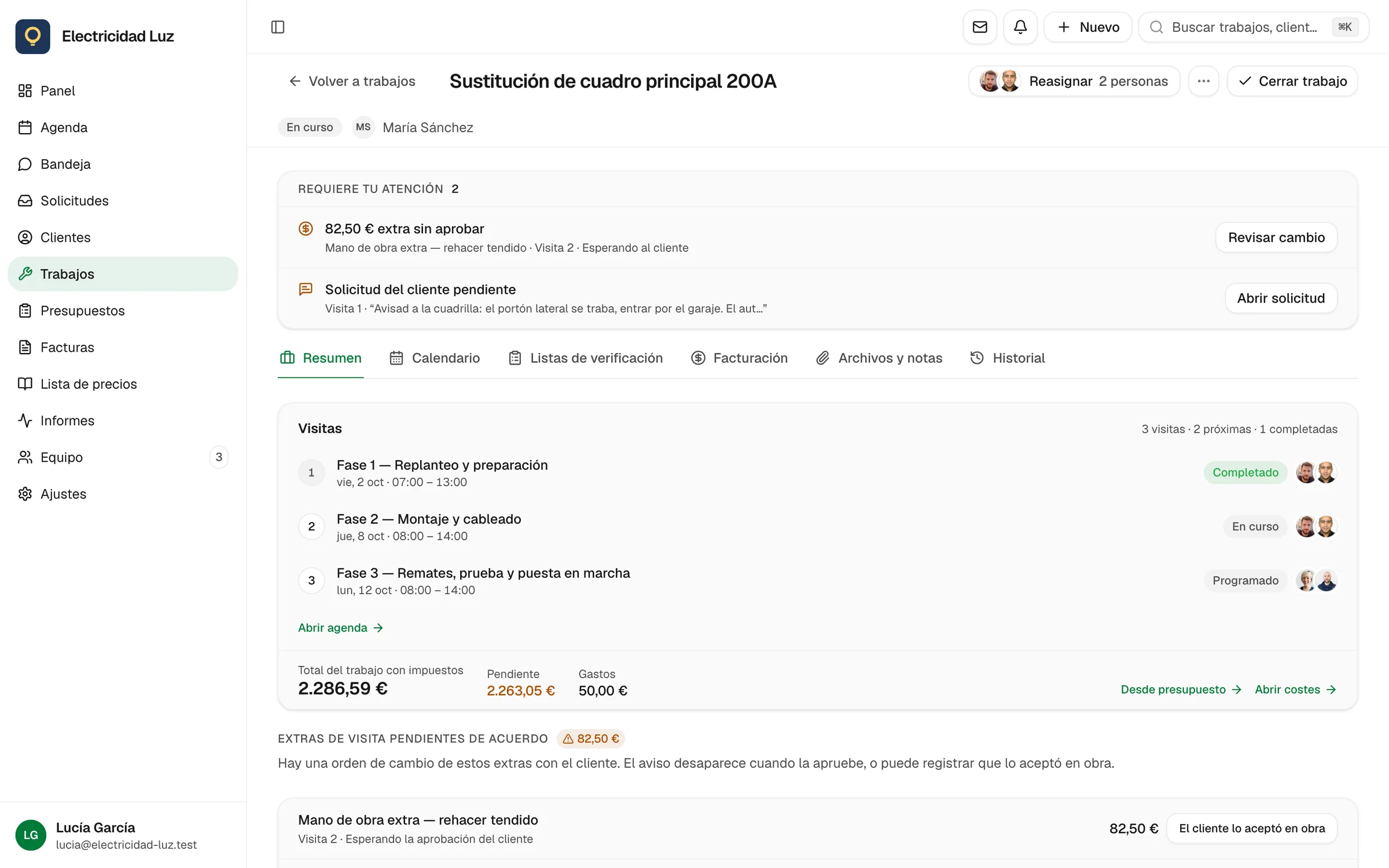
Line items or a pricing form for rooms, prep, and extras. When they add a hallway, the total updates before you leave the property.

  • Rooms
  • Prep options
  • Live total
See quoting

02

Client Hub

They open the quote. They don’t bury it.

One magic link — no password, no app to install. Approve, optional e-sign, pay the deposit. Follow-ups sit on the estimate, not in your sent folder.

  • Approve
  • Sign
  • Pay deposit
See Client Hub

03

Schedule

Two houses, one board.

A column per painter. Interior this week, exterior next — hours booked so you stop promising Friday when the crew is already on a scaffold.

  • Day board
  • People columns
  • Hours booked
See scheduling

04

Job · Files

Before/after lives on the job.

Prep shots and finished rooms attach to the visit. Useful for reviews, extras, and the “that wall was already marked” conversation.

  • Photos
  • On the visit
  • Share with invoice
See the field app

05

Job · Money

Deposit before the paint order. Progress by phase.

Collect at approval, then invoice prep, first coat, or final — remaining balance on the same painting job.

  • Deposit
  • Progress
  • Final
See getting paid
Qué incluye

Room quotes, deposits, crews, and before/after photos.

Room-level quotes that can change on site

Price book + forms for interiors, exteriors, and commercial touch-ups. Add a room without rebuilding the PDF from scratch.

Quotes that get a decision

Client Hub is a link, not an attachment. They see the rooms, the total, and the deposit button. You see who opened it and what’s unpaid.

Crews across sites

Day board with people columns. Know who’s on the exterior elevation before you take another interior start.

Photo proof on the record

Before/after on the job — not in a personal camera roll when the customer emails six weeks later.

Don’t buy paint until they’ve paid

Growth deposits at signature. Progress invoices for longer jobs. Starter pay links for smaller rooms and touch-ups.

Walkthrough to draft on Pro

Dictate the rooms; AI drafts the estimate summary. You approve before the customer sees it.

En qué se diferencia

Other software sends a nicer PDF. The quote still dies.

Painting isn’t a one-hour call-out. You need a decision, a deposit, and a board that shows two sites. Most job apps stop at “send estimate”.

  • Otro software

    Estimate PDF in the inbox, then silence

    Jomioz

    Client Hub link — approve and pay on their phone

  • Otro software

    Extras agreed verbally, never on the total

    Jomioz

    Revise rooms and lines, then get approval before you paint them

  • Otro software

    Paint ordered on a handshake

    Jomioz

    Deposit at signature, then you order the paint

  • Otro software

    Photos on crew phones; disputes with no proof

    Jomioz

    Before/after attached to the job the invoice came from

  • Otro software

    Generic field app with a roller icon

    Jomioz

    Room quotes, coat-stage invoices, multi-site day board

Por qué confían los equipos

Qué incluye el plan — y qué no.

Agenda, presupuestos, facturas, enlaces de pago, recordatorios y Client Hub están en todos los planes. Anticipos, facturación por hitos, partes de horas y Xero están en Growth. Borradores por voz e informes más profundos están en Pro.

  • Tú decides quién ve quéTú controlas el acceso. Exporta o borra tus datos cuando quieras.
  • Facturación lista para IVATotales neto/bruto, desglose por tipo, inversión del sujeto pasivo en facturas.
  • Pagos con tarjetaTarjeta, Apple Pay y monederos locales vía Jomioz Payments.
  • Tus datos, exportablesCSV de clientes, trabajos y facturas — llévatelo cuando quieras.
  • Tus datos siguen siendo tuyosCada cuenta en su espacio. Tú controlas quién ve trabajos y dinero.

Elige un plan. Cobra antes.

Starter organiza el día, envía enlaces de pago e incluye el Client Hub. Growth cobra señales, reserva y Xero. Pro añade IA e informes. Cada plan incluye plazas y 14 días de prueba.

Prueba 14 días · Cancela cuando quieras · Sin tarjeta

MensualAnualAhorra un 20 %

A muchos equipos les basta un trabajo extra al mes para cubrir la suscripción.

Starter

For crews who want the basics

49
al mesCancela cuando quieras · Impuestos aparte
Pruébalo ahora gratis

O €468/año (ahorras €120)


  • Schedule board and dispatch
  • Live job status for office and field
  • Customers and job sites
  • Job notes, photos, and files
  • Leads and work-request pipeline
  • Day-to-day estimates
  • Day-to-day invoices
  • Client Hub — customers approve online
  • Client Hub — e-sign documents
  • Client Hub — pay and message you
  • Online pay links on every invoice
  • Automatic invoice payment reminders
  • Email tied to the job, not a shared inbox
  • Price book for materials and labour
  • Mobile app for office and field
  • Export your data anytime
  • Email support
  • 2 personas incluidas · +€19/mes cada persona extra
El más elegido

Growth

Get paid as the job moves — most crews start here

129
al mesCancela cuando quieras · Impuestos aparte
Pruébalo ahora gratis

O €1236/año (ahorras €312)


  • Everything in Starter
  • Schedule board, dispatch, and live job status
  • Customers, job sites, notes, and photos
  • Leads and work-request pipeline
  • Day-to-day estimates and invoices
  • Client Hub — approve, e-sign, pay, and message
  • Your branding on the Client Hub
  • Online pay links on every invoice
  • Automatic invoice payment reminders
  • Refunds from the payment record
  • Deposit invoices when the quote is accepted
  • Progress invoices as the job moves
  • Final invoice when the work is done
  • Payment plans for bigger jobs
  • Charge the card on file
  • Field payments from the job site
  • Online booking forms for new work
  • Request forms that land as leads
  • Estimate follow-ups that nudge without chasing
  • Time tracking against the job
  • Recurring jobs on the calendar
  • Billing automation on deposits and reminders
  • Xero sync for accounting
  • Integrations and API access
  • Price book for materials and labour
  • Export your data anytime
  • Importación CSV de clientes y trabajos
  • Email support
  • 5 personas incluidas · +€19/mes cada persona extra

Pro

AI estimates, reporting, and multi-crew control

249
al mesCancela cuando quieras · Impuestos aparte
Pruébalo ahora gratis

O €2388/año (ahorras €600)


  • Everything in Growth
  • Schedule board, dispatch, and live job status
  • Customers, job sites, notes, and photos
  • Client Hub — approve, e-sign, pay, and message
  • Your branding on the Client Hub
  • Online pay links and invoice reminders
  • Refunds from the payment record
  • Deposit invoices when the quote is accepted
  • Progress invoices as the job moves
  • Final invoice when the work is done
  • Payment plans for bigger jobs
  • Charge the card on file
  • Field payments from the job site
  • Online booking forms for new work
  • Request forms that land as leads
  • Estimate follow-ups that nudge without chasing
  • Time tracking against the job
  • Recurring jobs on the calendar
  • Billing automation on deposits and reminders
  • Xero sync for accounting
  • AI photo estimates — you review before send
  • AI dictate estimates — you review before send
  • Higher AI allowance for busy weeks
  • Custom fields on jobs
  • Custom fields on customers
  • Custom fields on invoices
  • Route optimization for the day's stops
  • Map measure on site
  • Revenue reporting for the business
  • Advanced reporting and CSV exports
  • Recurring service / maintenance plans
  • Custom roles for office and field
  • Organization audit log — who changed what
  • Integrations and API access
  • Price book for materials and labour
  • Export your data anytime
  • Importación CSV de clientes y trabajos
  • Email support
  • Larger crews: contact us for volume pricing
  • 10 personas incluidas · +€24/mes cada persona extra
Preguntas

Preguntas frecuentes

Can I estimate by room?

Yes. Use line items or a pricing form for rooms, surfaces, and prep. If they add space, update the estimate and send it back to Client Hub.

How do I stop quotes going cold?

Send the Client Hub link instead of a PDF attachment. They can approve and pay without creating an account. Reminders sit on the invoice/estimate — you’re not rebuilding the chase in Gmail.

Do you handle exterior and light commercial?

Same job record. Scale the estimate and billing. Progress invoices work when a facade takes more than one visit.

Why not just use the job software we already demoed?

If that tool emails PDFs and treats deposits as a later invoice, quotes will keep dying. Jomioz is built around approval + deposit on the same link, then the schedule and photos on that job.

Where do photos go?

On the job and visit. Client Hub already shares estimate and invoice PDFs. It does not automatically list every file from the job Files tab.

Jomioz para oficios

Send the next quote as a link they can actually finish.

14-day trial. No credit card. One walkthrough → Client Hub → deposit this week.

Sin tarjeta · Cancela cuando quieras