
Product walkthrough
See Jomioz run a real job.
Quote, approve, schedule, invoice, get paid — without WhatsApp chaos. No sales call required.
No credit card · Cancel anytime
How a job moves through Jomioz
Quote to paid on one record — the same job the office, the crew, and the customer all see.
Client Hub · Jordan
Panel upgrade — Job #2408
your-company.jomioz.app/jordan-leeSecure
- Approve estimate4 line items · £1,485Paid
- Pay £500 depositApple Pay · saved cardPay
- Final invoiceAfter inspection
Got a question?
Message us here — we'll reply on the job record.
01 · Customer approves the quote
They sign and pay a deposit from one link — no chasing.
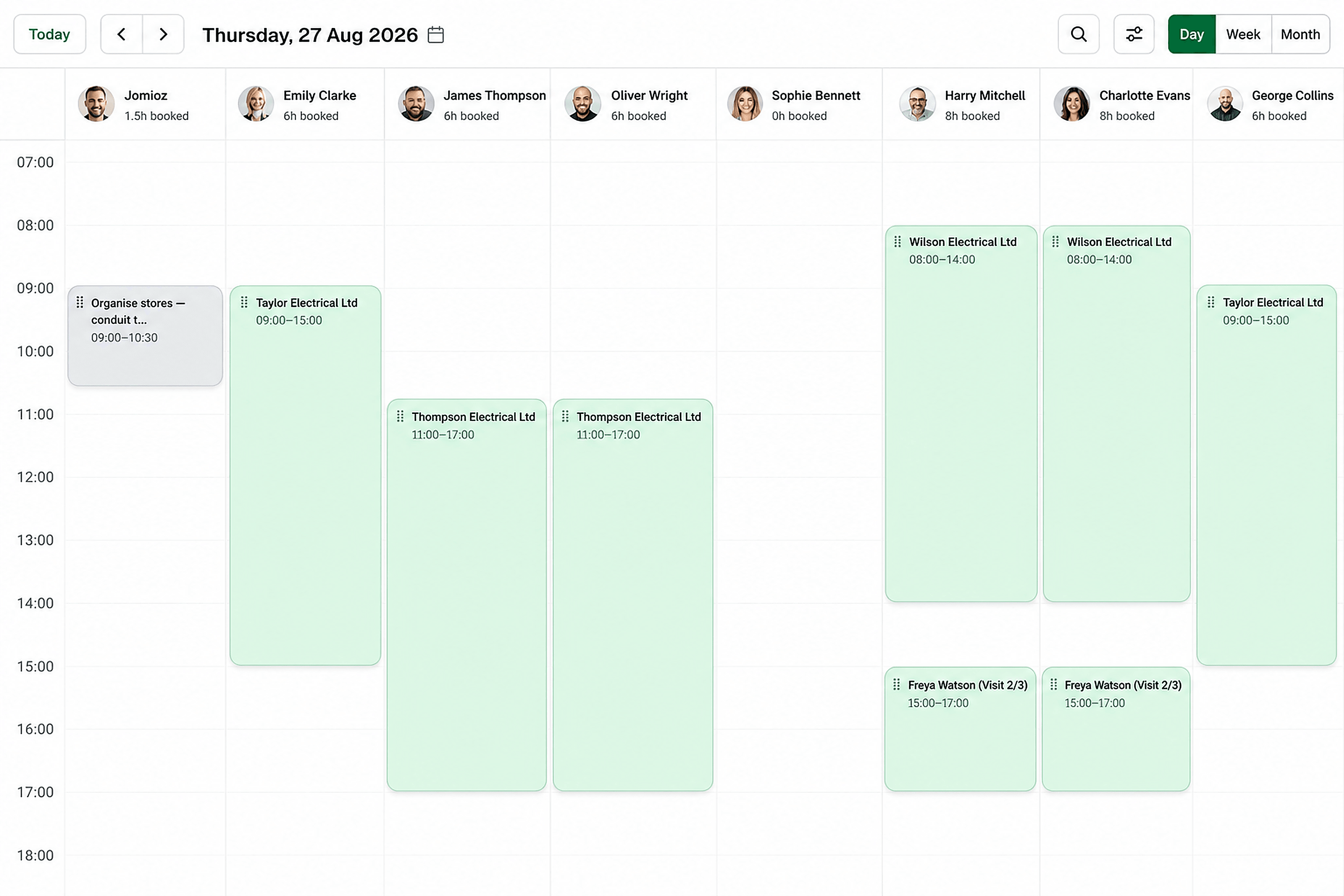
02 · Job is scheduled
The visit lands on the board with the right person and the full job file.
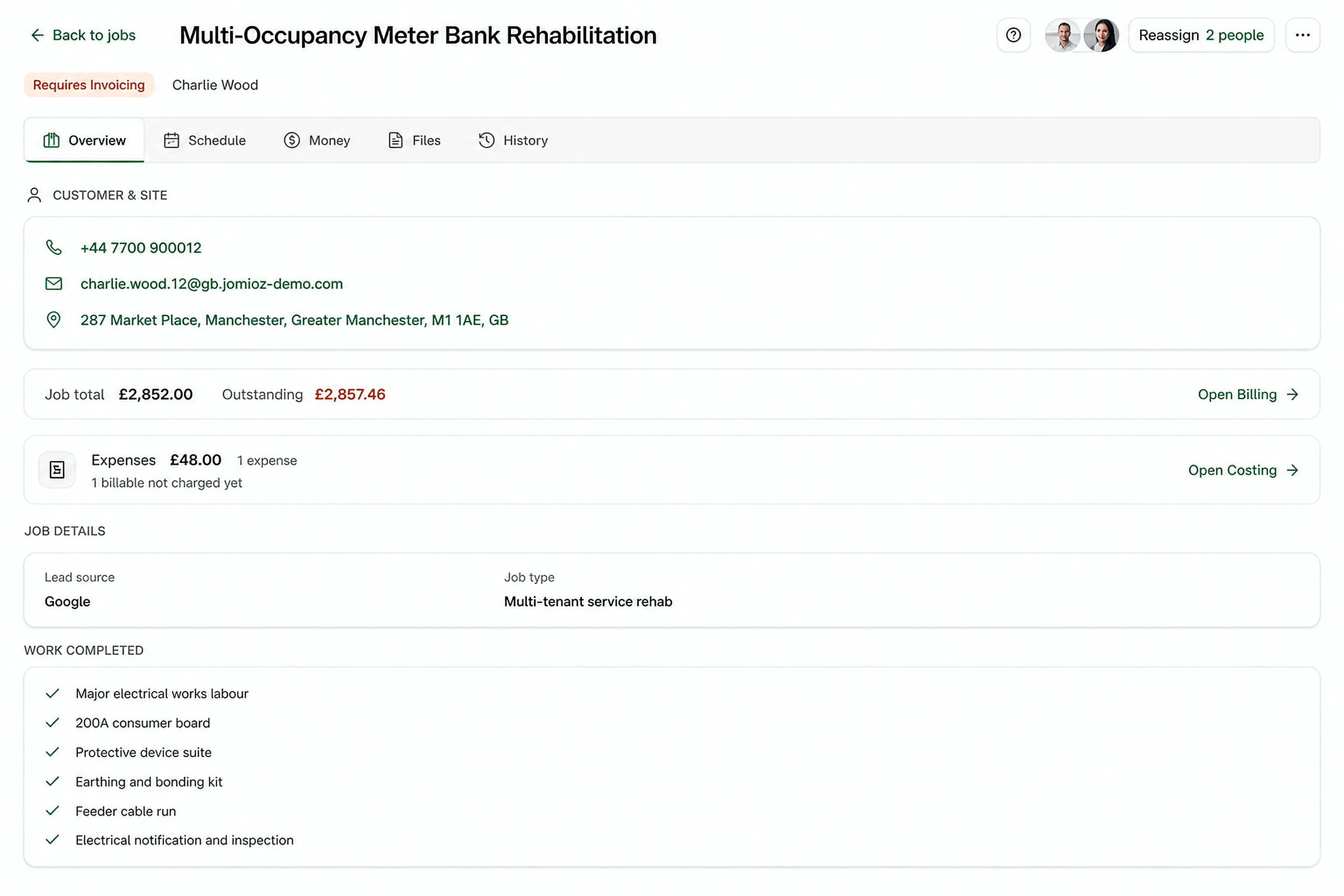
03 · Team completes the work
Photos, notes, and costs stay on the job — not in a group chat.
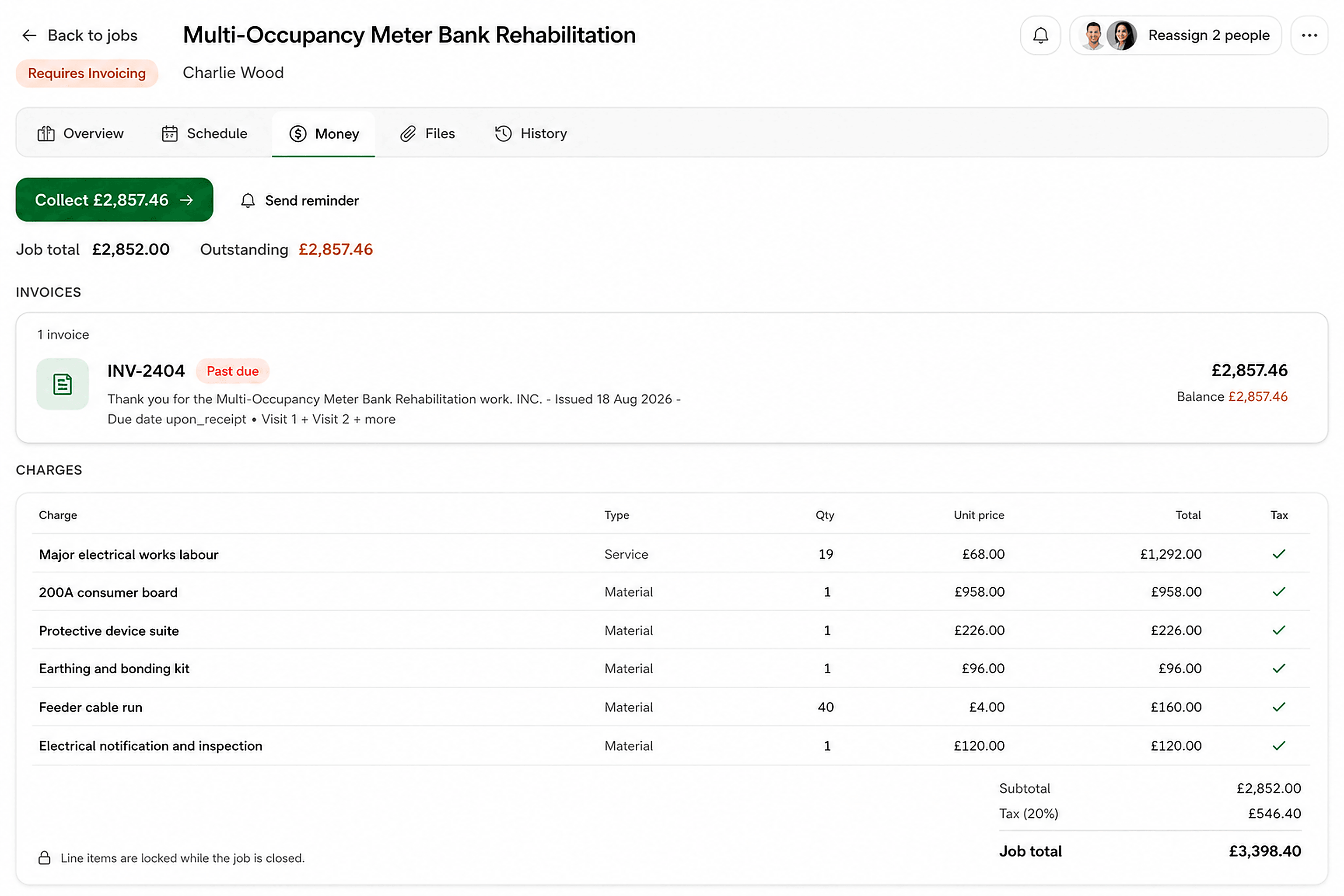
04 · Customer pays
Send the invoice from the job. Collect by pay link or card.
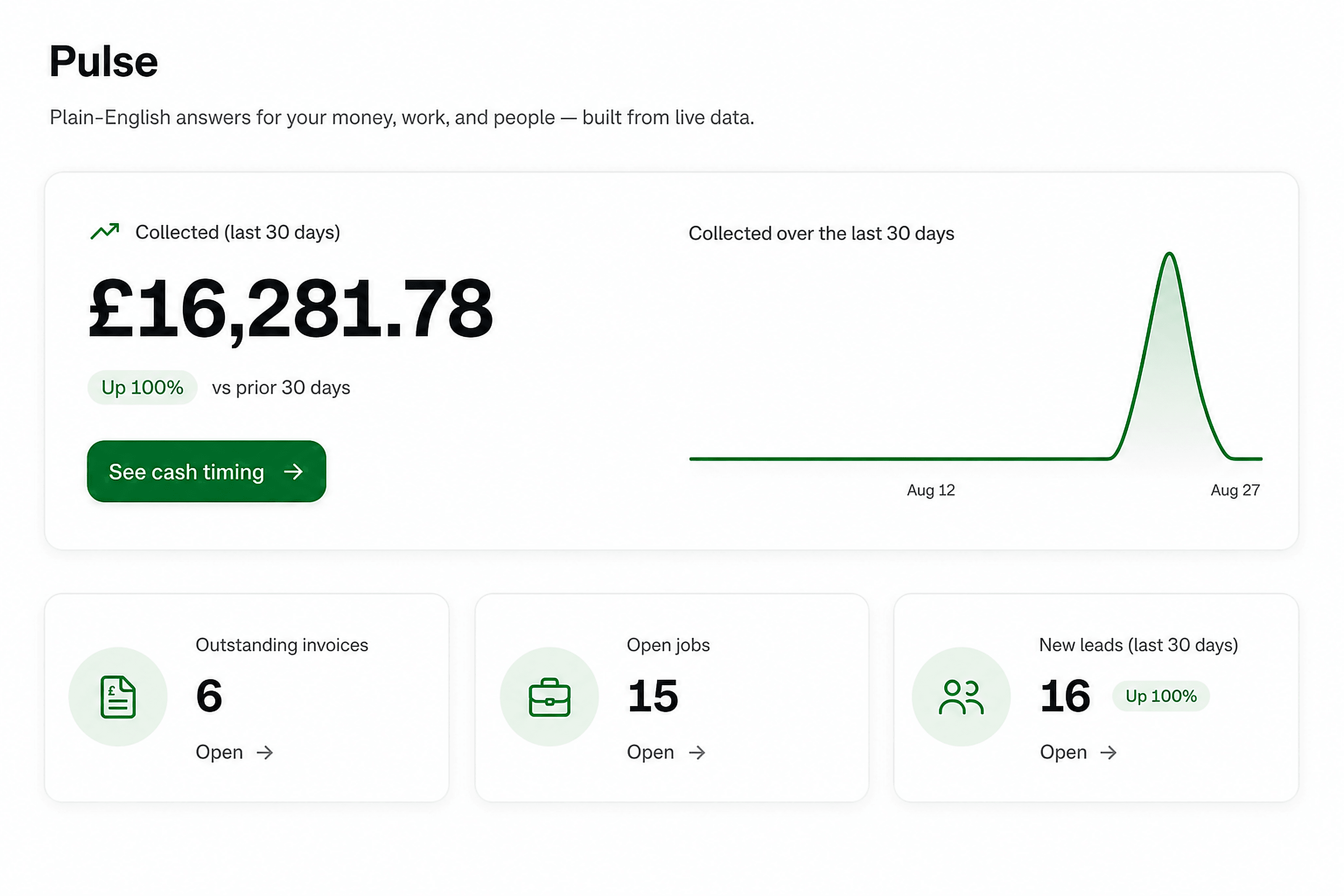
05 · Money appears in your dashboard
Paid, owed, and what's next — visible without rebuilding Friday's spreadsheet.

Jomioz for trades
Ready to try it on your next job?
14-day free trial. No credit card. Cancel anytime.
No credit card · Cancel anytime