Why Jomioz

You don't need a giant platform to run a great service business.

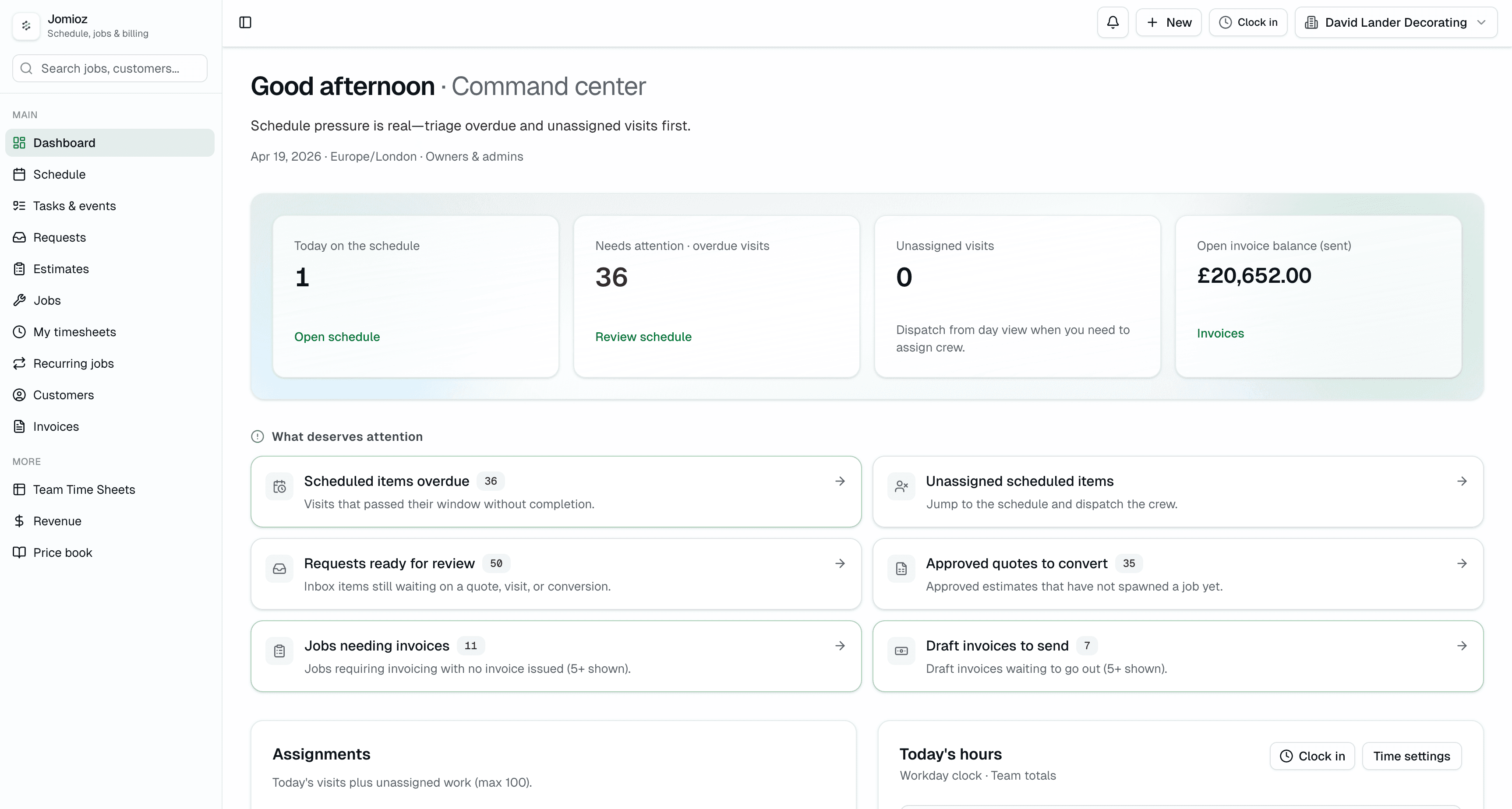
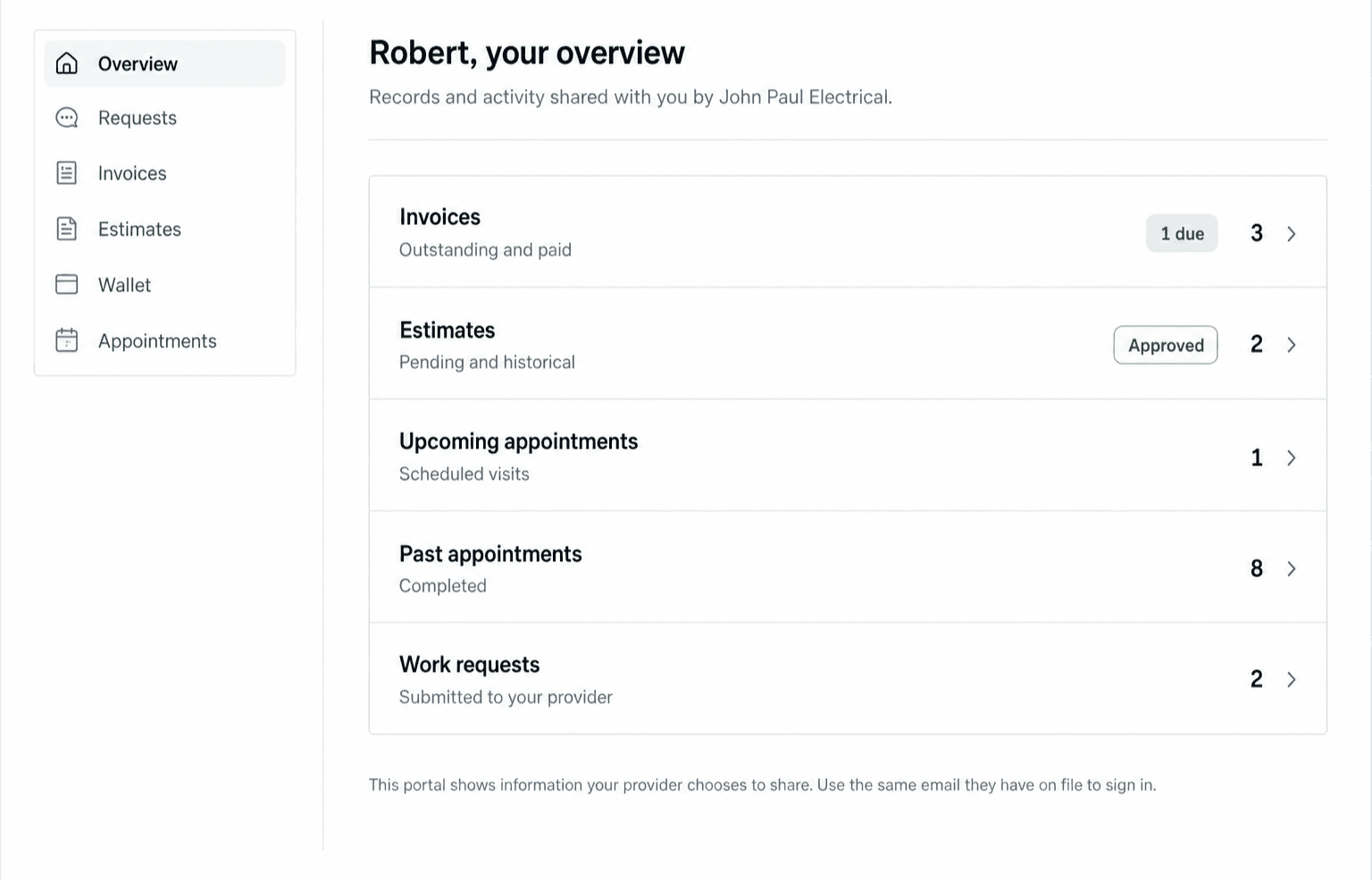
Jomioz gives small and growing trade teams clear pricing, practical drafting help, and a Client Hub customers actually use — without piling more admin on the office.
A fresh take onLegacy schedulers·Residential service tools·Enterprise field-service suites
Three ways we're different

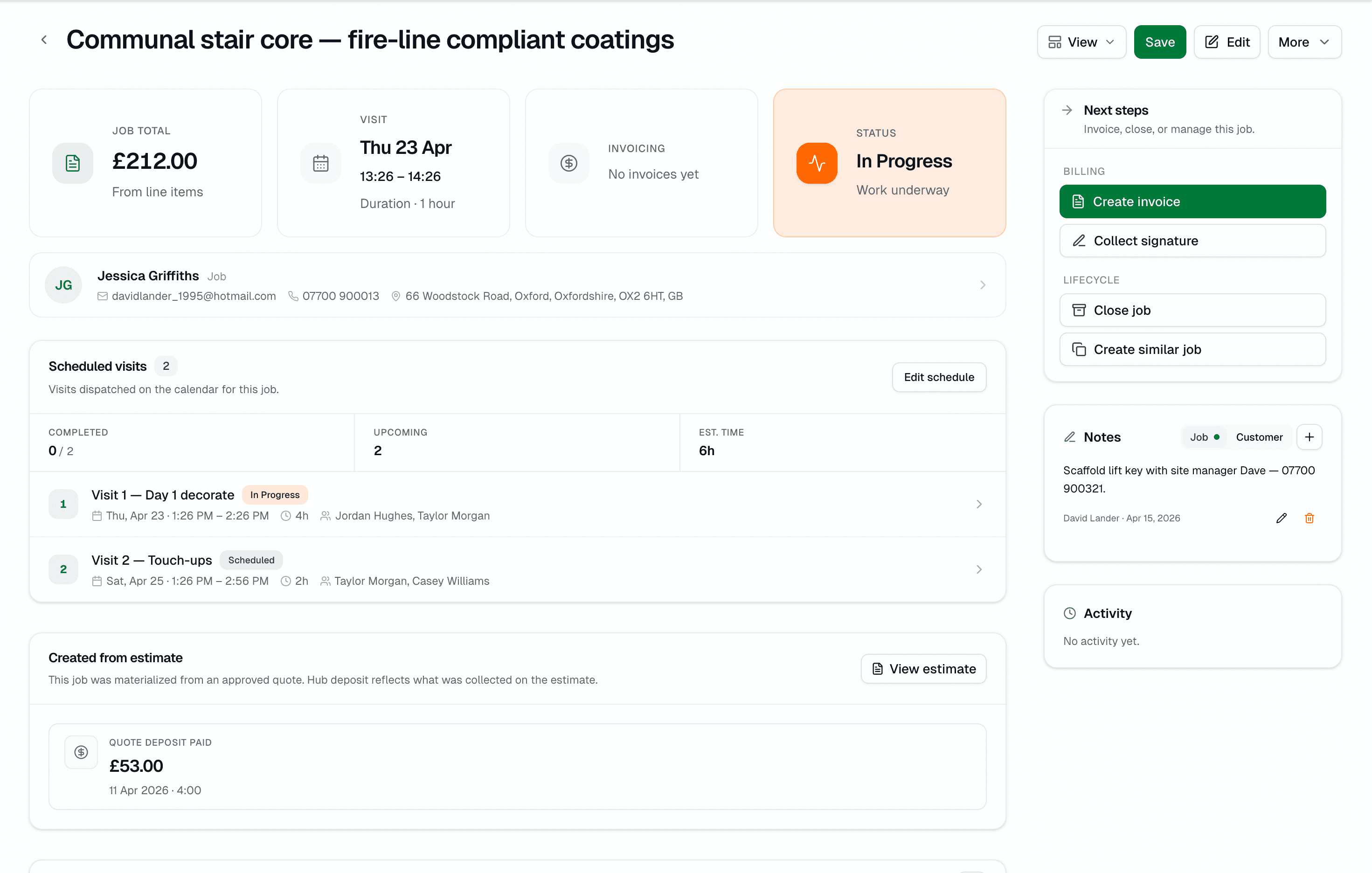
Job management that keeps the office, field, and customer on the same page.

These aren't marketing features — they're the reasons teams actually switch. Every one is live today, on every plan that includes it.

Transparent pricing

Prices on the page. Not behind a sales call.

You shouldn't need a sales conversation to learn what your software costs. Every plan, every included seat, every per-seat overage is printed on the pricing page. Start a 7-day trial in the same click.

  • Starter €49 · Growth €99 · Pro €169 (monthly)
  • Included seats printed on each plan
  • No annual contract to try it
AI that earns its keep

Drafts the paperwork. Stays silent until you approve.

The drafting help lives inside the job — not bolted on as a chatbot. Dictate a scope on your phone and you get line items, a summary, contract terms, and a client message, ready for you to tweak. Every draft shows its sources and waits for your green light.

  • Voice-to-text on the truck, AI-drafted on the office screen
  • Estimate line items matched to your price book
  • Client messages in your voice — you approve every send
Built for how trades run in 2026

Progress billing, Client Hub, EU-first — out of the box.

Small and growing teams outgrow legacy tools because the legacy tools were built for a different era. Jomioz assumes deposits, progress invoices, a mobile customer portal, and VAT-aware pricing on day one.

  • Deposits at signature, progress invoices at milestones, final at sign-off
  • Client Hub on the customer's phone — approvals, payments, reschedules
  • VAT-aware billing, SEPA + card, €-first
At a glance

The old way vs. Jomioz.

Most legacy job-management tools share the same 2015-era assumptions. Here's where we take a different stance.

The old way
Jomioz
  • Pricing you discover on a sales call
    €49 / €99 / €169 — printed, per-seat prices included
  • AI as a bolt-on search bar
    AI drafts the estimate, message and summary — you approve
  • One invoice at the end of the job
    Deposit, progress invoices and final — in the same flow
  • Static line-item price lists
    Dynamic pricing forms with options, add-ons and rules
  • Read-only PDF customer portal
    Client Hub approves, pays and reschedules in one tap
  • Per-user pricing that gates features
    Clear included seats; extra seats at a printed rate
  • US-first tax and payment rails
    VAT / SEPA / €-first, built for EU service teams
  • Multi-month onboarding and consultants
    Live the day you sign up. Crew trained in a morning.

These rows describe how Jomioz is built — not what any specific other product does or doesn't do. The category moves fast and capabilities vary; we're just telling you where we take a deliberate, opinionated stance.

Coming from another tool?

Honest fit checks, by category.

Every category of tool has teams that love it. Here's where Jomioz tends to be a better match — and when it isn't.

Coming fromJomioz fit

A basic scheduler → Jomioz

You're on a simple job-and-invoice scheduler that does the basics fine, but the business has outgrown it. Quotes and billing are in different places, the customer experience is a PDF, and adding another user always seems to bump you into the next tier.

Switch for
  • AI that actually drafts the paperwork — not just a chatbot
  • Progress billing and deposits in the same flow as estimates
  • Transparent per-seat pricing instead of tiered user gating
  • EU-ready VAT, SEPA and €-first billing out of the box
Best fit: Teams of 3–30 who've outgrown a basic scheduler and want more AI, more billing muscle, and less user-count gymnastics.
Coming fromJomioz fit

A residential, mobile-first tool → Jomioz

You picked a clean, phone-first app built for residential service runs — and it's great for one-visit jobs. But bigger projects, multi-visit work and customers who want to approve, pay and reschedule online are starting to feel squeezed.

Switch for
  • Richer pricing-form logic (options, add-ons, access rules)
  • Client Hub where customers request reschedules and your office approves
  • AI drafts for scopes, summaries and client messages
  • Progress billing for longer, multi-visit jobs
Best fit: Residential and light-commercial teams taking on bigger, multi-visit jobs who need quotes that calculate live instead of static line-item lists.
Coming fromJomioz fit

An enterprise field-service suite → Jomioz

You've evaluated the big enterprise platforms — the ones with dedicated implementation consultants, quarterly rollouts, and pricing you only get on a discovery call. Capable, yes; but overkill for where the business is today.

Switch for
  • A platform you can roll out in a week, not a quarter
  • Pricing you can see without a discovery call
  • A modern UI your crew will open without training videos
  • Progress billing, AI and Client Hub without the consulting engagement
Best fit: Teams of 5–50 who admired the ambition of an enterprise suite but need something they can go live with this month — not next year.
Switching worries, answered

The real questions owners ask before they switch.

What happens to our existing data?

CSV imports for customers, jobs and open estimates on day one. For bigger migrations from any legacy scheduler, service-management tool or spreadsheet patchwork, we'll map the fields with you on a 30-minute call and run a test import against a sandbox before you flip the switch.

Do you integrate with QuickBooks or Xero?

CSV exports today, native integrations on the roadmap. We're straightforward about what ships this quarter vs next — tell us what you rely on and we'll tell you exactly where it sits.

Will my crew actually use it?

The mobile app is the first thing we tested — in cold vans, on cracked screens, with gloves on. Clock-in, photos, notes and job updates work on a weak signal. Office staff live on the web app. Same data, same record.

Is it too small for a 20+ person team?

Pro includes 20 seats and scales per-seat from there. Roles and permissions are built in, so an office of 3 and a field crew of 20 don't step on each other. For 50+ teams, get in touch — we'll walk through the fit.

Ask us anything30-minute fit call · no pitch deck·See the plan matrix
Jomioz for trades

Try Jomioz on your next job

Start free for 7 days. Invite your crew, connect a real customer, and feel the difference in the first week.

Public pricing starts at launch. Founder pricing stays yours.