
Stop starting jobs unpaid
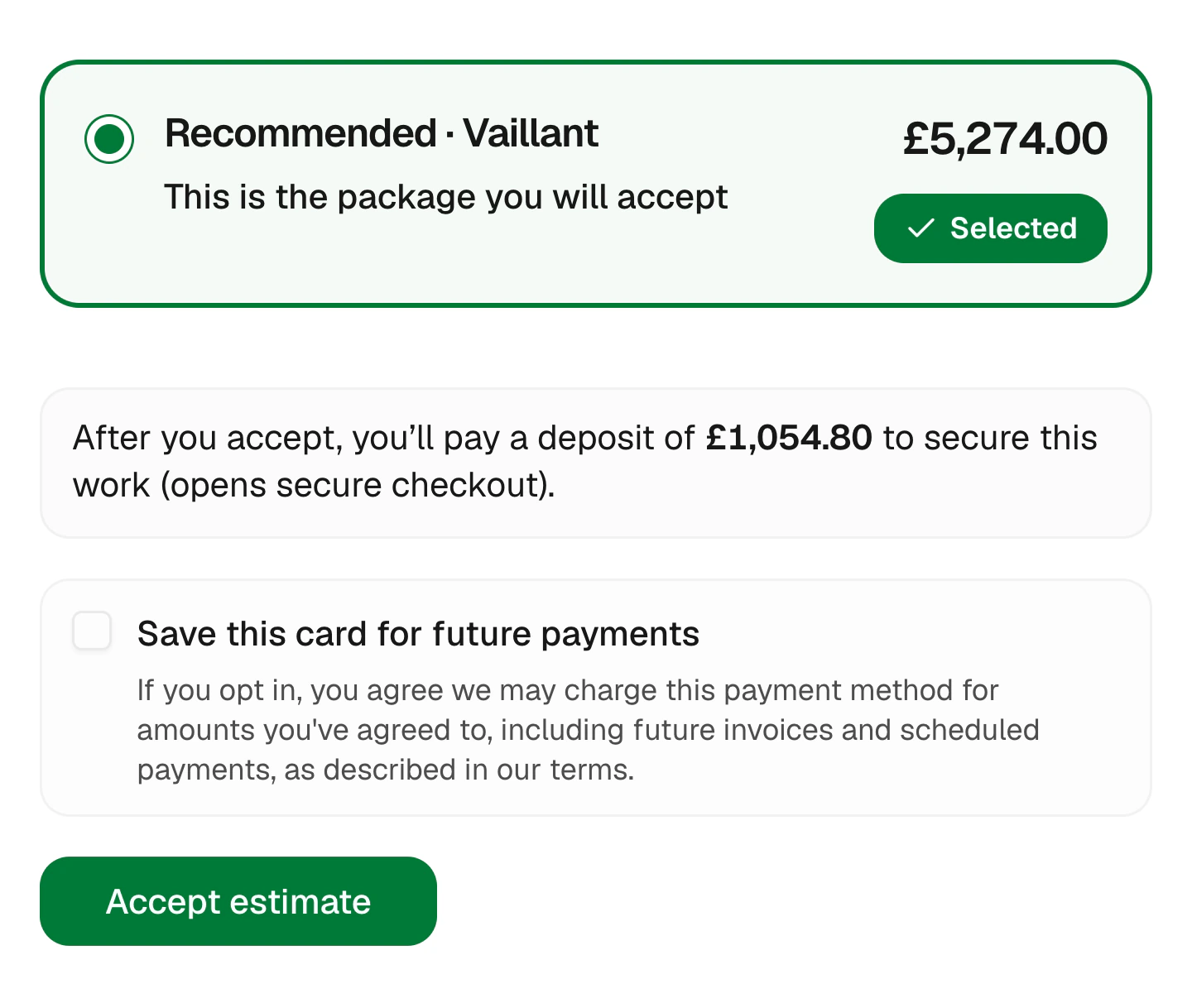
Add a deposit to the estimate. Your customer accepts and pays in the same step, so the job is booked and your materials are covered.
Sound familiar?
You shouldn’t be the one taking the risk
I bought a £2,000 boiler and they changed their mind.
Materials ordered on a verbal yes can sit in the van for weeks.
Asking for a deposit feels pushy.
Without a system, asking for money upfront turns into an awkward conversation.
I forgot to take the deposit off the final bill.
Tracking what’s been paid by hand leads to mistakes and unhappy customers.
Here’s how Jomioz fixes it
Deposits that take care of themselves
No separate invoice, no chasing, no working out what’s left at the end.
Start your free trialThe deposit is shown on the estimate and paid the moment the customer says yes.
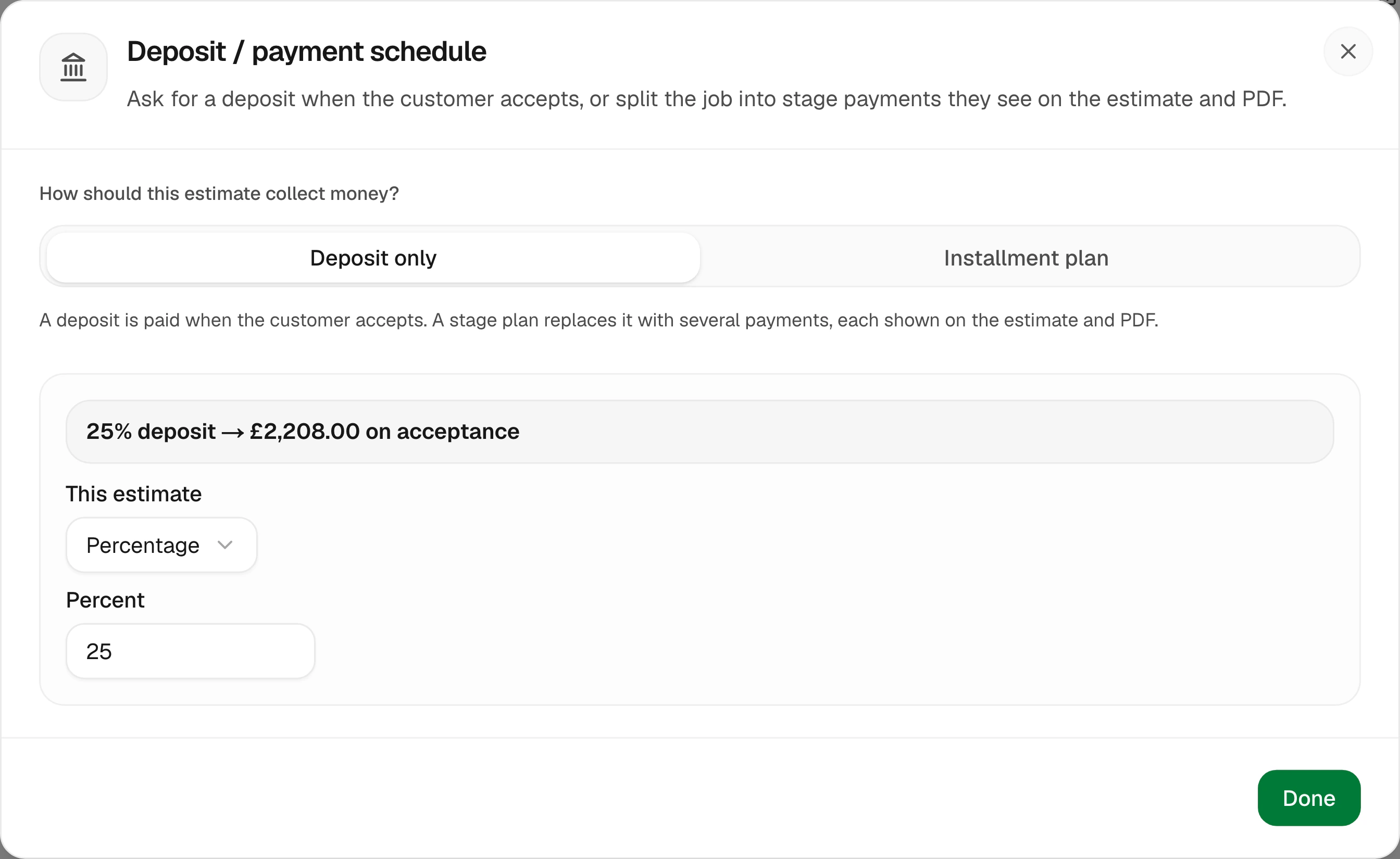
25% on a big install, nothing on a small repair. Choose a percentage or a fixed amount.
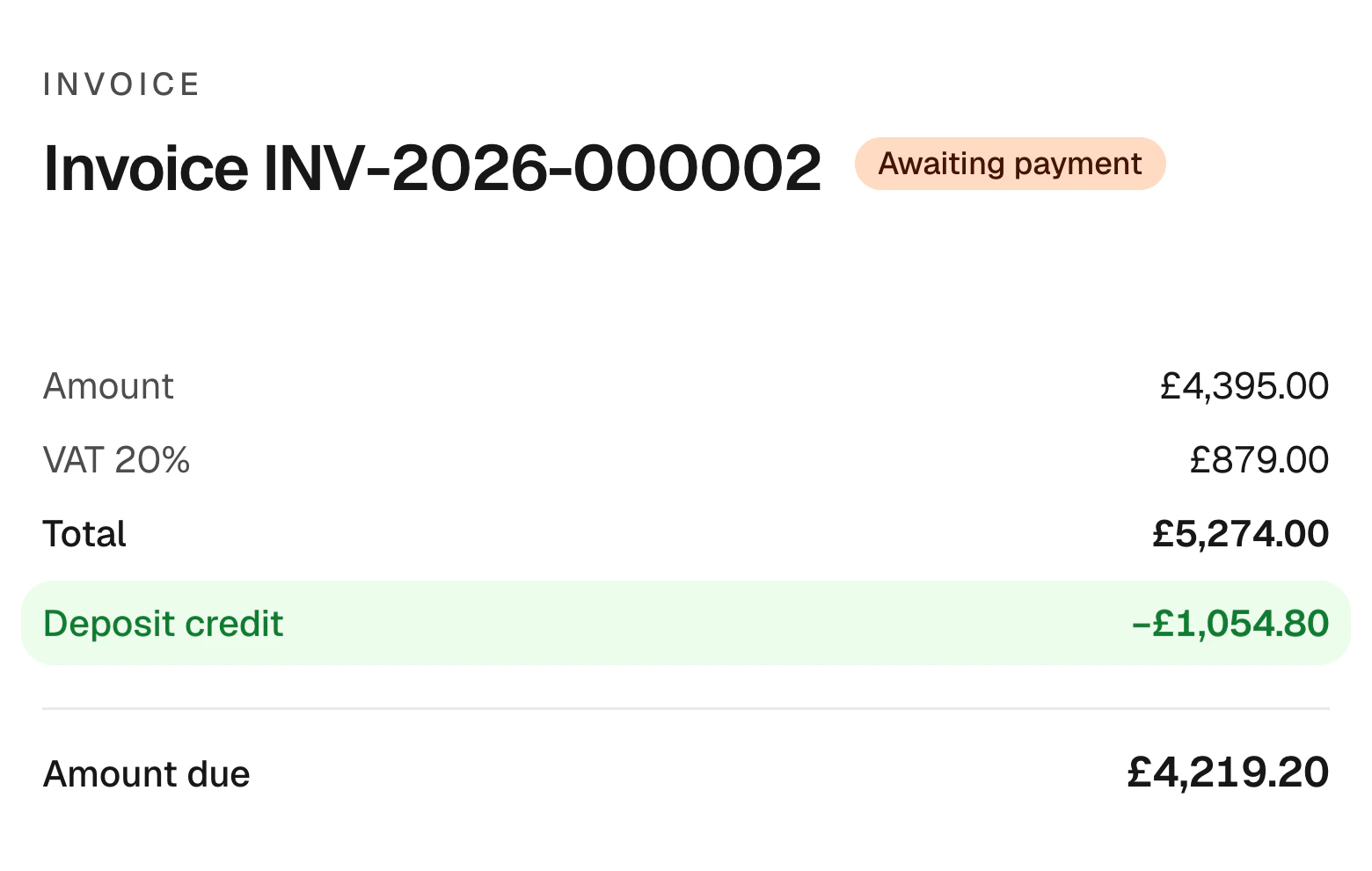
The deposit comes off the final invoice, so there’s nothing to work out.
Fair to your customer
The deposit follows their choice
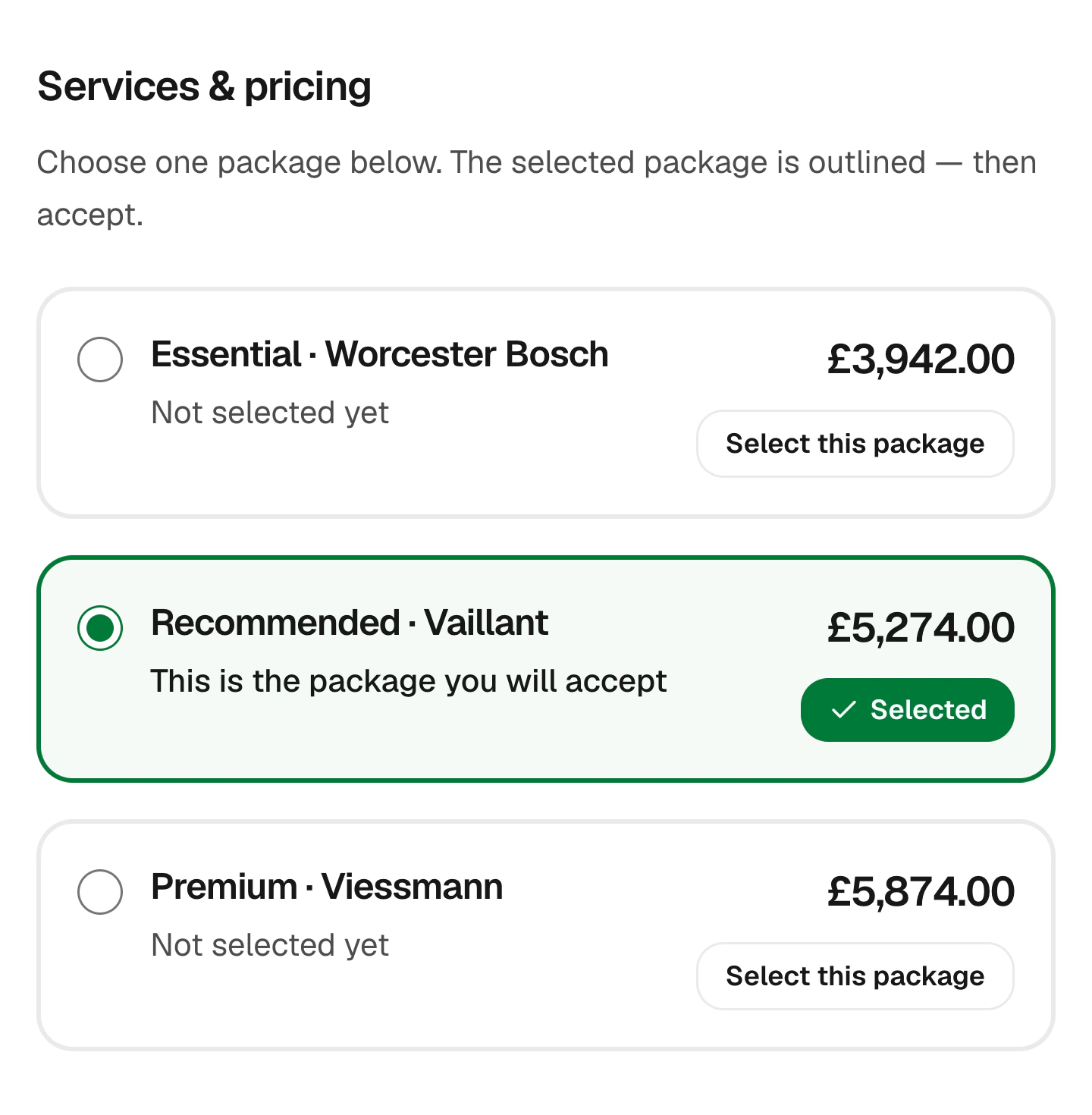
When a customer switches package or adds an extra, the deposit updates with the total. They always see exactly what they’re paying and what’s left.
- Updates with the package
- Shown before they accept
- Remaining balance shown
- No surprises later
For bigger jobs
Make the deposit the first stage
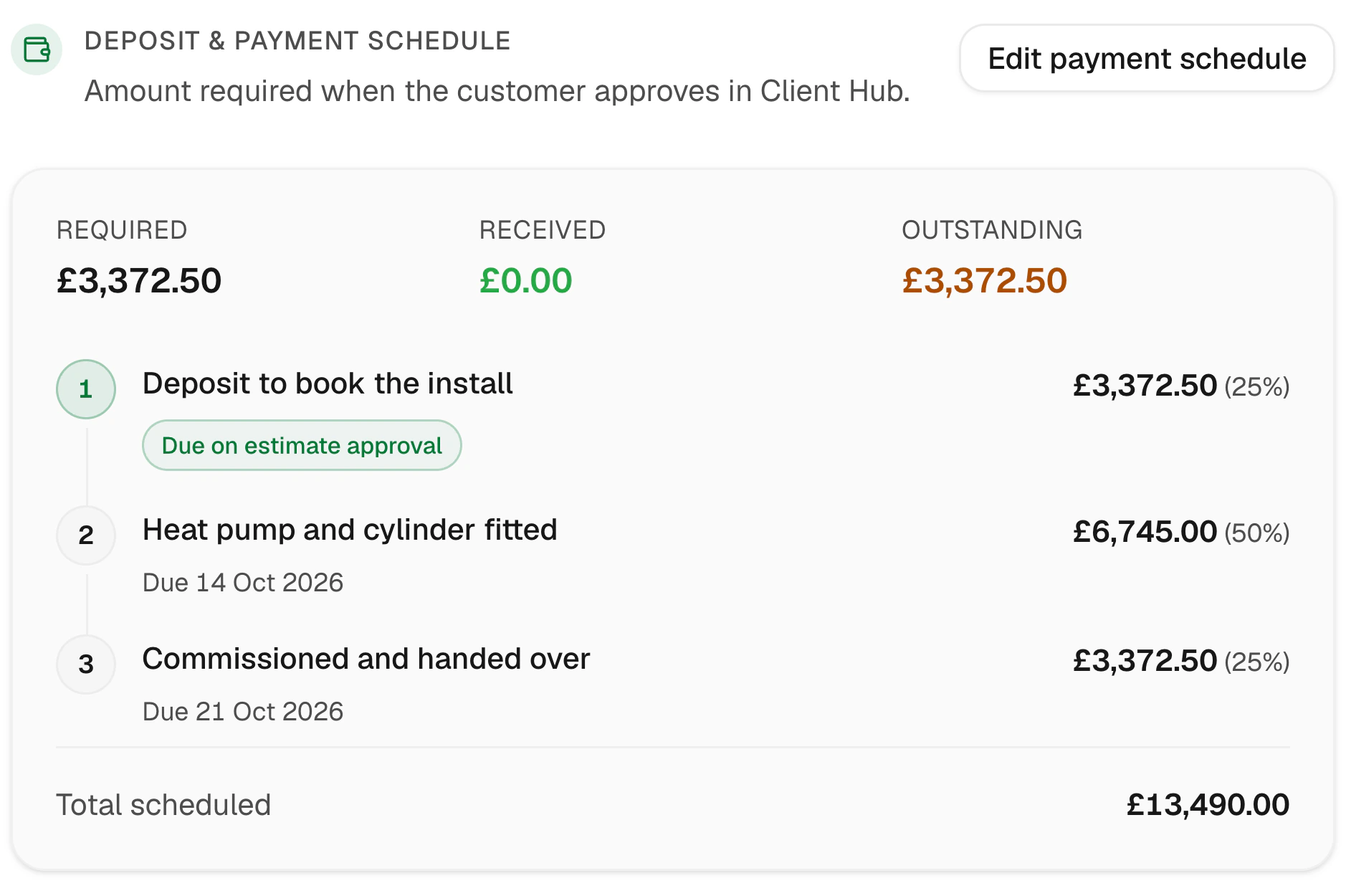
On longer jobs, the deposit becomes the first payment in a plan, followed by stage payments and a final balance.
- Deposit on approval
- Stages named after the work
- Balance at handover
- Each stage invoiced in a click
Customer story
“I was running jobs off WhatsApp and a spreadsheet. Now customers pick an option and pay the deposit before I've left the drive, and I can see who's free for the next job at a glance. I was wary of something new, but the support has been brilliant.”
Sam B
Electrical contractor · England, UK
Everything deposits should do
Simple for your customer, tidy for your books.
Card payments
Paid with Jomioz Payments, powered by Stripe.
Bank transfers
Record a deposit paid by bank in a click.
Paid at a glance
See which estimates are paid and ready to book.
Credited on the invoice
Shown clearly as a deposit credit.
Save the card
Customers can save their card for the balance.
Signed and paid
E-signature and deposit in one flow.
FAQs
Can the deposit change with the option chosen?
Yes. If it’s a percentage, it updates with the package and extras the customer picks.
What if the customer pays by bank transfer?
Record it on the estimate in a click and the job moves on as normal.
Is the deposit on the final invoice?
Yes. It’s credited automatically, so the customer only pays what’s left.
Do I need a deposit on every job?
No. Set it per estimate, or leave it off for small jobs.
Never fund a customer’s job again
Start free for 14 days. No card needed.
Sign up with email · 14 days free · No credit card required · Cancel anytime