For landscapers

One board for the whole season.

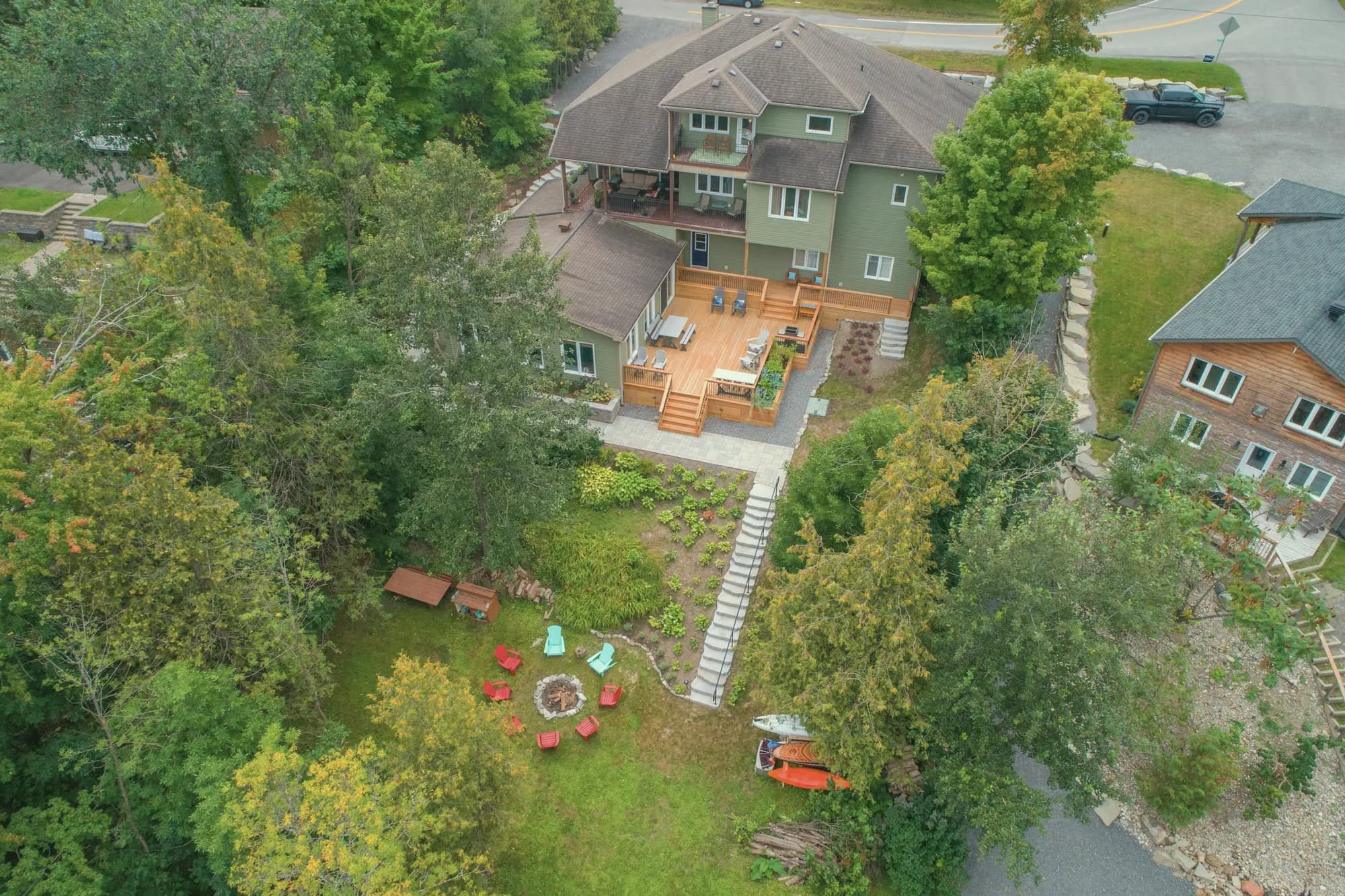
Patio installs, weekly cuts, and autumn clear-outs on the same schedule. See crew capacity before you say yes to another build. Deposit when the design is accepted — invoice when the weather finally lets you finish.
  • 14 days free · no card
  • Up and running the same day
  • Data import included
The problem

Seasonal work falls apart when the board is a whiteboard.

  • Design installs quoted once, then chased for a deposit for weeks
  • Maintenance routes reshuffled in texts nobody updates
  • No clear view of crew days when spring spikes
  • Customers asking what’s included after the third change
  • Invoicing that piles up when the weather finally breaks
How it works

Installs and maintenance — same company, one board.

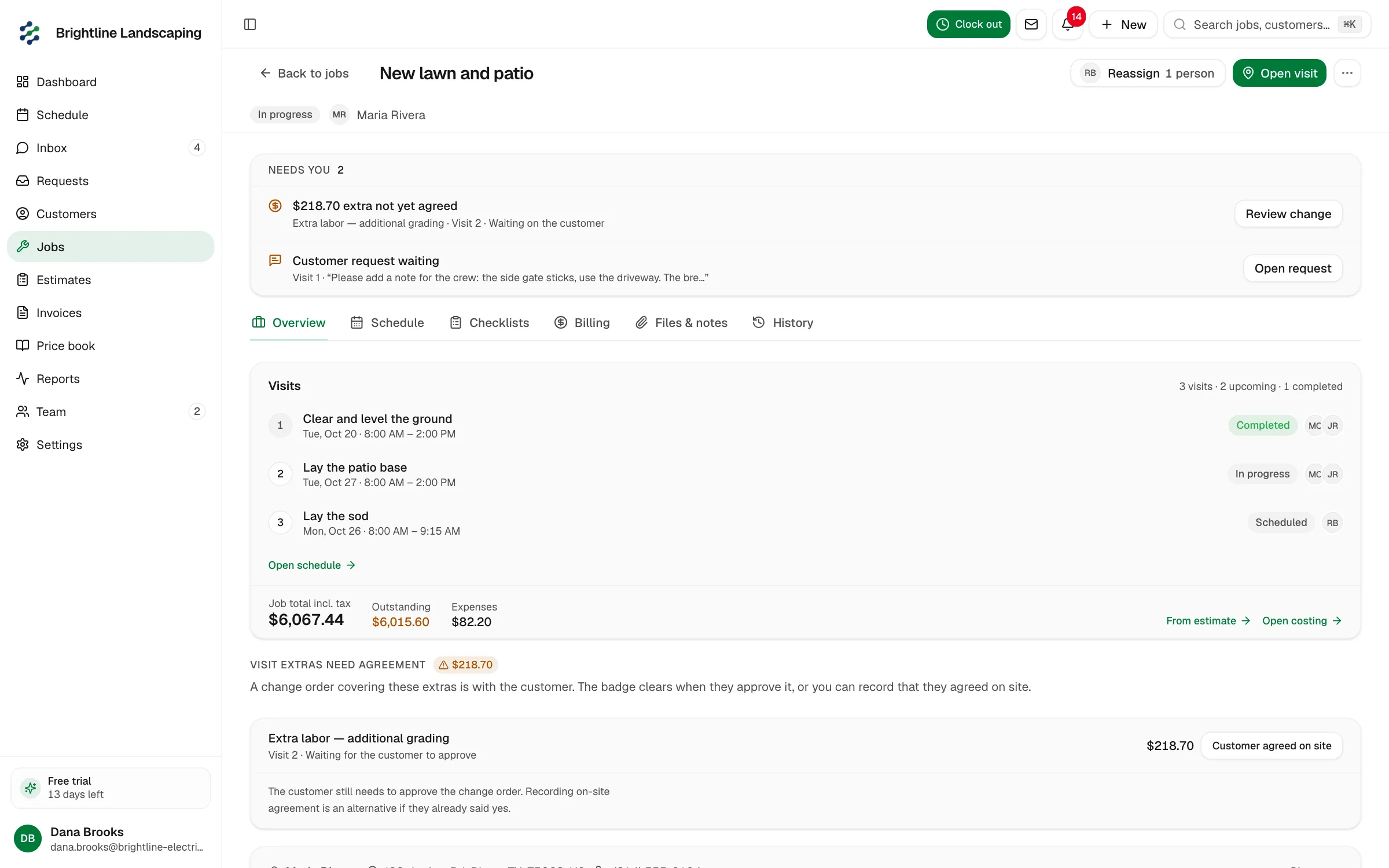
Capacity on the day board, deposit before materials, repeat visits on the customer, invoices that don’t wait for month-end.

01

Schedule

The season on one board — not three spreadsheets.

A column per crew. Hardscape crew on the patio, mow team on the weekly route. Hours booked so you stop stacking Friday installs on a full week.

  • Day board
  • People columns
  • Hours booked
See scheduling

02

Quote

Design packages with a live total.

Beds, hardscape, irrigation, seasonal clean-ups. Options recalculate while you’re still on the property — same quote they approve later.

  • Packages
  • Options
  • Live total
See quoting

03

Client Hub

Deposit when they accept the design.

Approve and pay from a branded link. You lock materials and crew days after the money is in — not after another site meeting.

  • Approve
  • Pay deposit
  • No extra app
See Client Hub

04

Job · Visits

Weekly cuts on the same customer as the patio.

Book the next mow from the schedule. Installs and maintenance share the customer — you’re not cloning the address into a second system.

  • Repeat visits
  • Same customer
  • Status
See job visits

05

Job · Money

Invoice when you can actually finish.

Deposit → hardscape complete → plantings final. Maintenance can bill per visit so month-end isn’t a spreadsheet of skipped cuts.

  • Deposit
  • Progress
  • Per-visit invoice
See getting paid
What’s included

Builds, weekly cuts, deposits, and invoices on one board.

One board for builds and routes

Day view with people columns. See who’s on an install vs a cut before you promise another patio.

Packages for the work you sell every spring

Pricing forms for hardscape, planting, irrigation, and clean-ups. Change orders update the total they already have in Client Hub.

Design accepted = deposit paid

Growth deposits at approval. Customers request visit changes; the office confirms so the route stays sane.

Repeat visits, not a new job every Monday

Book the next cut on the same customer from the schedule. Route optimisation is on Pro and rolling out.

Progress for builds, per-visit for maintenance

Named stages on the install. Invoice each maintenance visit so rain delays don’t become a month of unbilled tickets.

Site notes to a draft on Pro

Dictate the scope; AI drafts the estimate and follow-up. You approve every send.

What’s different

A scheduler that can’t see the season isn’t a landscaping tool.

Most job apps are built for one-off call-outs. Landscapers run two businesses at once: projects and routes. Jomioz keeps both on one board and one customer.

  • Other software

    Install calendar in one place, mow list in a spreadsheet

    Jomioz

    One day board — crew columns for builds and weekly cuts

  • Other software

    Design deposit chased after you’ve reserved the crew

    Jomioz

    Client Hub approval + deposit before materials and days get locked

  • Other software

    Rain day = lost text, lost visit, lost invoice

    Jomioz

    Reschedule on the job; bill the visit when it’s done

  • Other software

    Change orders in email, never on the total

    Jomioz

    Update lines, send back to Client Hub, collect before extra plantings

  • Other software

    Generic “outdoor services” template

    Jomioz

    Install progress billing + repeat maintenance on the same customer

Why teams trust us

What’s included — and what isn’t.

Scheduling, estimates, invoices, pay links, reminders, and Client Hub are on every plan. Deposits, progress billing, timesheets, and Xero are on Growth. Voice-to-estimate and deeper reporting are on Pro.

  • You decide who sees whatYou control access. Export or delete your data anytime.
  • Tax on the invoiceTax rates and groups on estimates and invoices — sales tax, VAT, or your local setup.
  • Card paymentsCard, Apple Pay and local wallets via Jomioz Payments — in the currency you bill.
  • Your data, exportableCSV of customers, jobs, and invoices — take it with you anytime.
  • Your data stays yoursEach account is separate. You control who can see jobs and money.

Pick a plan. Get paid faster.

Starter runs the day, sends pay links, and includes the Client Hub. Growth takes deposits, booking, and Xero. Pro adds AI drafts and deeper reporting. Every plan includes your crew and a 14-day trial.

14-day trial · Cancel anytime · No credit card

MonthlyYearlySave 20%

Most crews cover the subscription with one extra job a month.

Starter

For crews who want the basics

49
per monthCancel anytime · Taxes may apply
Try now for free

Or €468/yr (save €120)


  • Schedule board and dispatch
  • Live job status for office and field
  • Customers and job sites
  • Job notes, photos, and files
  • Leads and work-request pipeline
  • Day-to-day estimates
  • Day-to-day invoices
  • Client Hub — customers approve online
  • Client Hub — e-sign documents
  • Client Hub — pay and message you
  • Online pay links on every invoice
  • Automatic invoice payment reminders
  • Email tied to the job, not a shared inbox
  • Price book for materials and labour
  • Mobile app for office and field
  • Export your data anytime
  • Email support
  • 2 people included · +€19/mo each extra
Most popular

Growth

Get paid as the job moves — most crews start here

129
per monthCancel anytime · Taxes may apply
Try now for free

Or €1236/yr (save €312)


  • Everything in Starter
  • Schedule board, dispatch, and live job status
  • Customers, job sites, notes, and photos
  • Leads and work-request pipeline
  • Day-to-day estimates and invoices
  • Client Hub — approve, e-sign, pay, and message
  • Your branding on the Client Hub
  • Online pay links on every invoice
  • Automatic invoice payment reminders
  • Refunds from the payment record
  • Deposit invoices when the quote is accepted
  • Progress invoices as the job moves
  • Final invoice when the work is done
  • Payment plans for bigger jobs
  • Charge the card on file
  • Field payments from the job site
  • Online booking forms for new work
  • Request forms that land as leads
  • Estimate follow-ups that nudge without chasing
  • Time tracking against the job
  • Recurring jobs on the calendar
  • Billing automation on deposits and reminders
  • Xero sync for accounting
  • Integrations and API access
  • Price book for materials and labour
  • Export your data anytime
  • CSV import for customers and jobs
  • Email support
  • 5 people included · +€19/mo each extra

Pro

AI estimates, reporting, and multi-crew control

249
per monthCancel anytime · Taxes may apply
Try now for free

Or €2388/yr (save €600)


  • Everything in Growth
  • Schedule board, dispatch, and live job status
  • Customers, job sites, notes, and photos
  • Client Hub — approve, e-sign, pay, and message
  • Your branding on the Client Hub
  • Online pay links and invoice reminders
  • Refunds from the payment record
  • Deposit invoices when the quote is accepted
  • Progress invoices as the job moves
  • Final invoice when the work is done
  • Payment plans for bigger jobs
  • Charge the card on file
  • Field payments from the job site
  • Online booking forms for new work
  • Request forms that land as leads
  • Estimate follow-ups that nudge without chasing
  • Time tracking against the job
  • Recurring jobs on the calendar
  • Billing automation on deposits and reminders
  • Xero sync for accounting
  • AI photo estimates — you review before send
  • AI dictate estimates — you review before send
  • Higher AI allowance for busy weeks
  • Custom fields on jobs
  • Custom fields on customers
  • Custom fields on invoices
  • Route optimization for the day's stops
  • Map measure on site
  • Revenue reporting for the business
  • Advanced reporting and CSV exports
  • Recurring service / maintenance plans
  • Custom roles for office and field
  • Organization audit log — who changed what
  • Integrations and API access
  • Price book for materials and labour
  • Export your data anytime
  • CSV import for customers and jobs
  • Email support
  • Larger crews: contact us for volume pricing
  • 10 people included · +€24/mo each extra
Questions

Common questions

Can I run a patio install and weekly mowing for the same customer?

Yes. Keep the install and the maintenance visits on the same customer. Book the next cut from the schedule.

How do deposits work on design builds?

Send the estimate to Client Hub. They approve and pay the deposit in one flow before you order stone or book a week of crew.

How do I invoice weekly maintenance?

Invoice each visit from the same customer so month-end isn’t a catch-up spreadsheet. Pay links and reminders are on Starter; card-on-file and deposits are on Growth.

Is there route optimisation?

Day board and visit planning are available now. Route optimisation is on Pro and rolling out — don’t buy Jomioz only for turn-by-turn routing today.

Why is this better than other job management software?

Because the season is the product: capacity on one board, deposit before the build, repeat visits on the same property. Tools built for plumbers’ call-outs usually bolt maintenance on as an afterthought.

Jomioz for trades

Put the rest of the season on one board.

14-day trial. No credit card. Load this week’s crew and one design deposit.

No credit card · Cancel anytime