
Get paid without the Friday chase
Invoices build themselves from the job, every one carries a pay link, and reminders do the chasing for you.
Sound familiar?
The job’s done. The money isn’t.
I spend Sunday typing up last week’s invoices.
Retyping jobs you’ve already priced once is admin nobody pays you for.
I hate ringing people up to ask for money.
Chasing feels awkward, so it gets put off, and cash dries up.
I never know who still owes me what.
Invoices scattered across emails and spreadsheets hide the ones going late.
Here’s how Jomioz fixes it
From finished job to money in the bank
No retyping, no spreadsheets, no awkward phone calls.
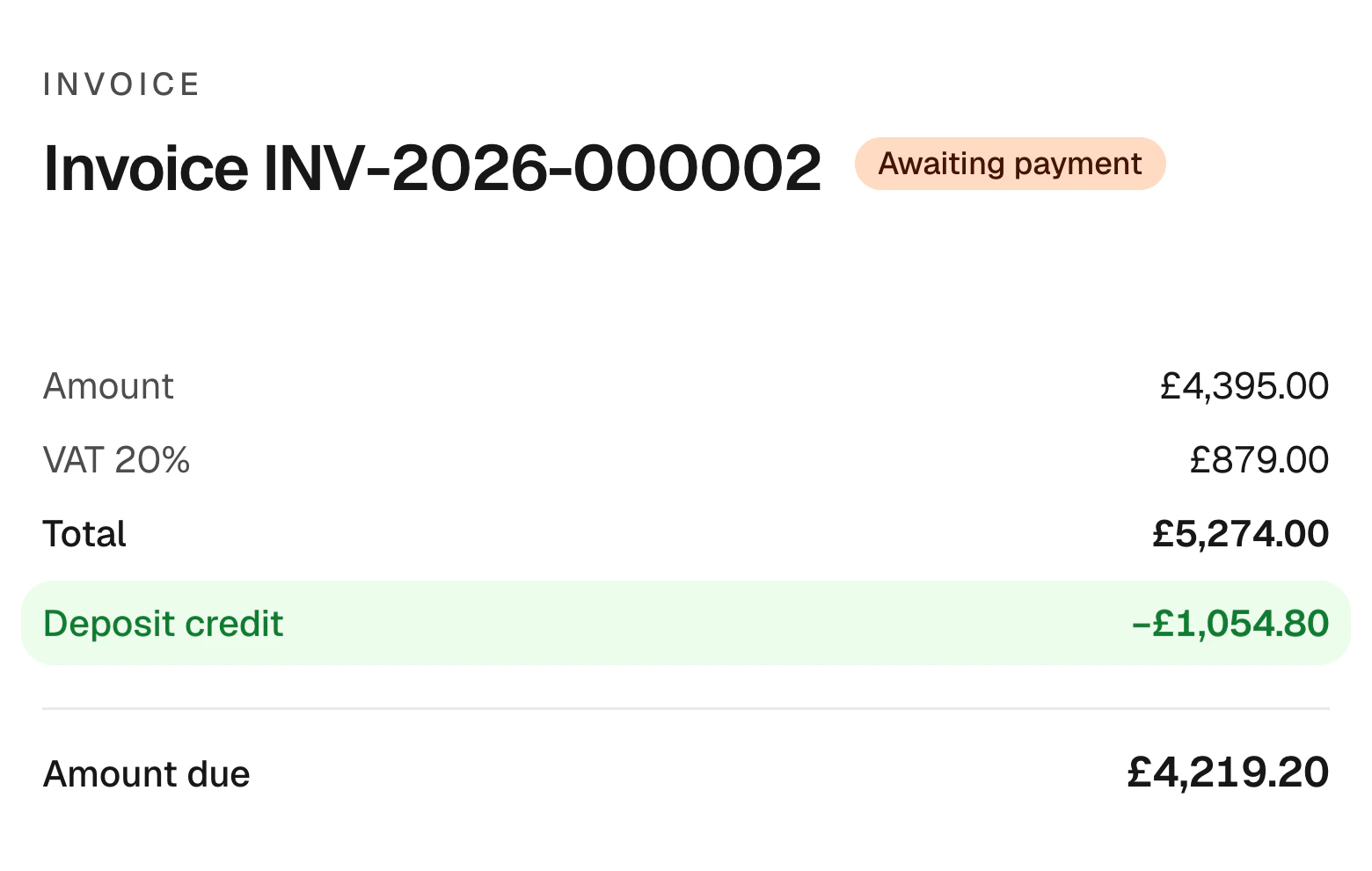
Start your free trialLines come straight from the job and anything already paid, like a deposit, is taken off.
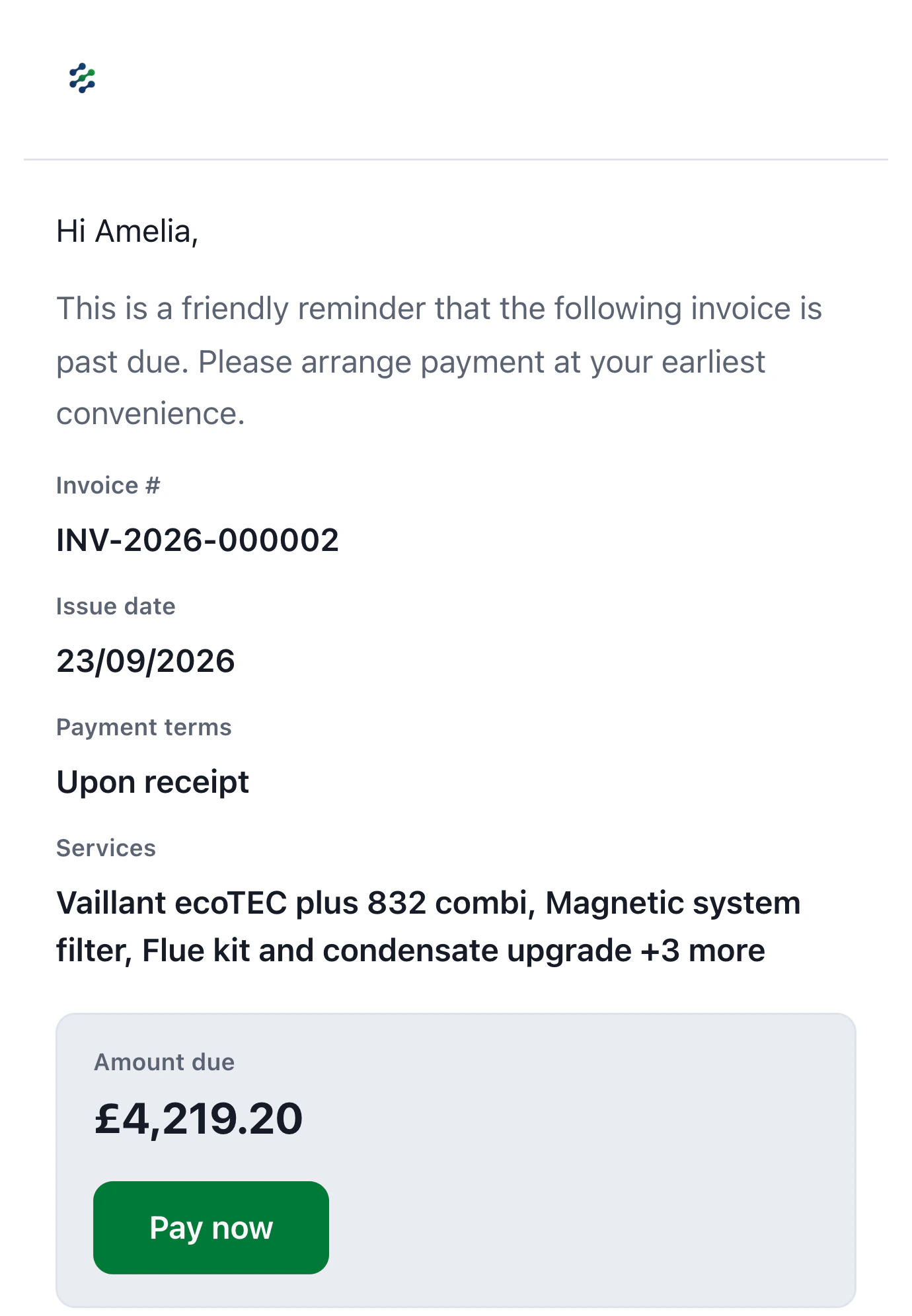
Invoices and reminders carry a Pay now button, so paying you takes seconds.
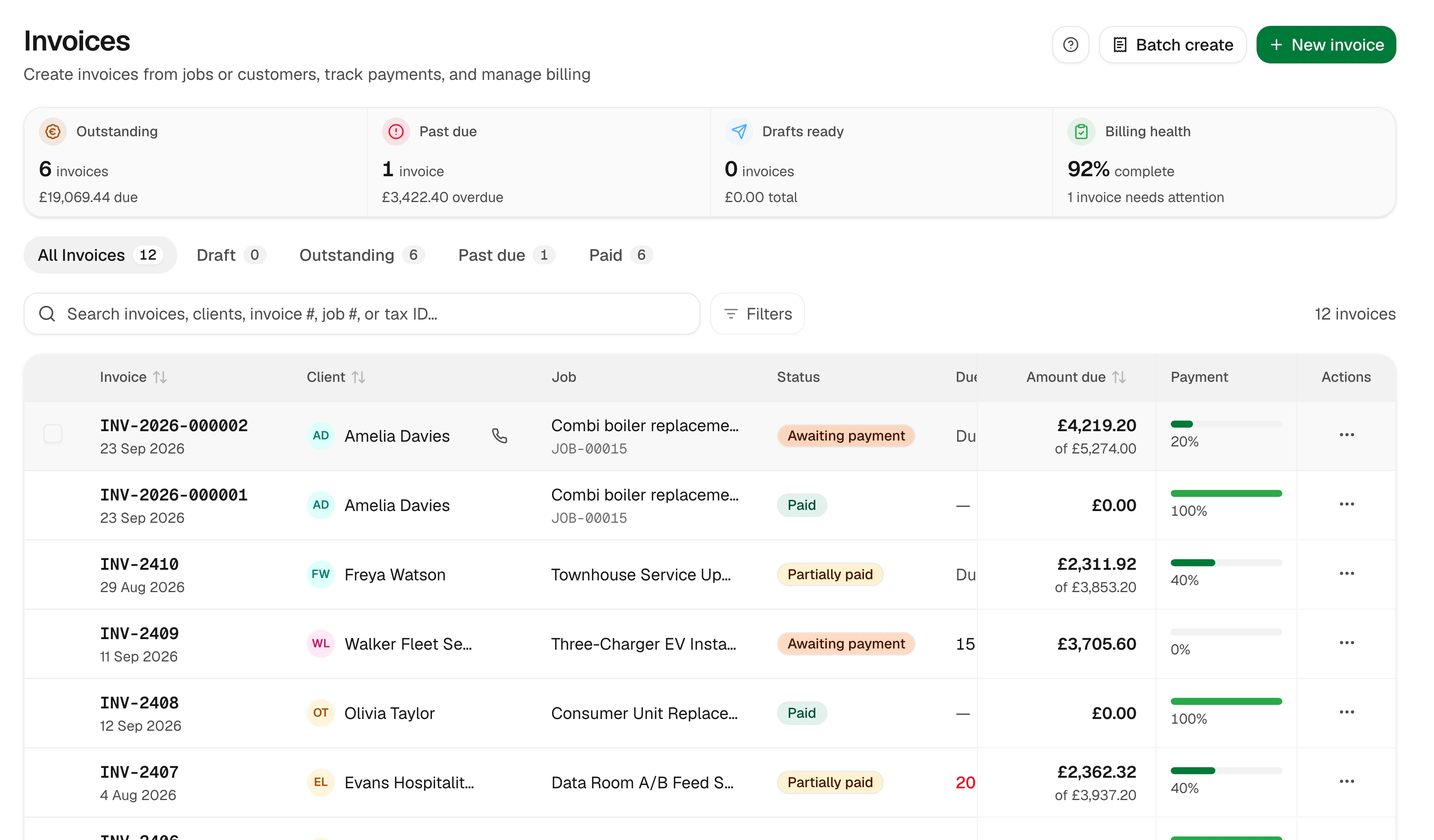
Every invoice shows what’s been paid and what’s left, with late ones flagged.
Cash at a glance
Know what’s in and what’s owed
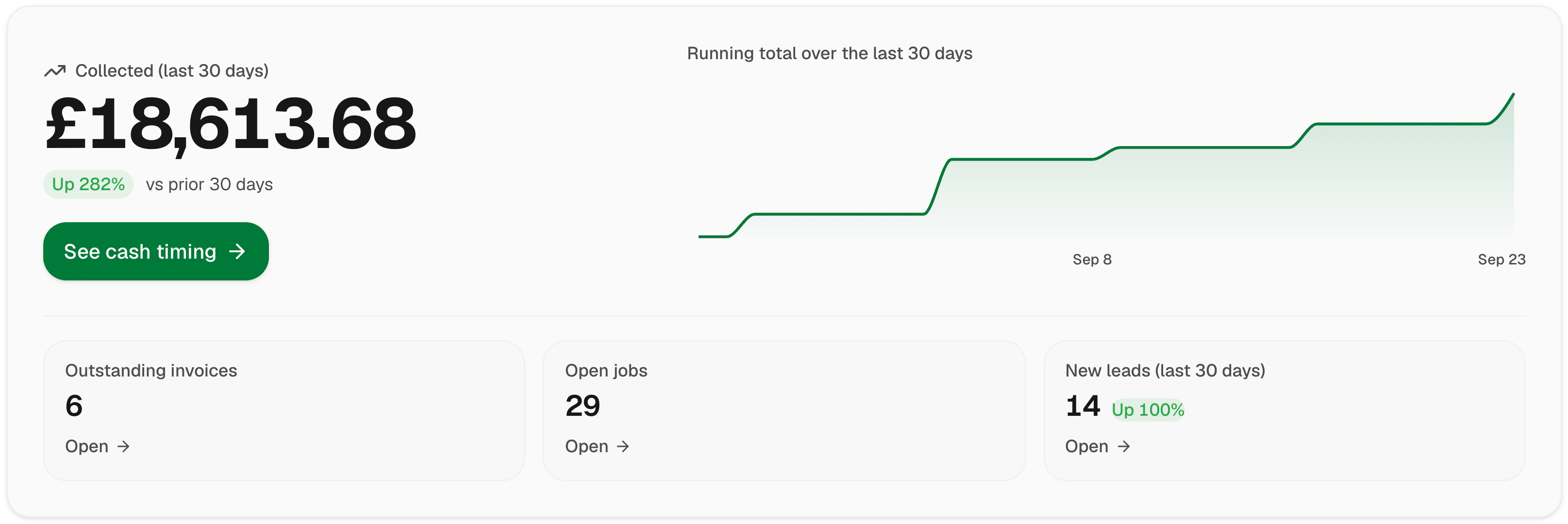
Pulse shows what you’ve collected this month, what’s outstanding and which jobs are waiting, in plain English.
- Collected, outstanding and overdue
- Running total for the month
- Open invoices in one list
- Drill into any customer
Bigger jobs, fewer surprises
Stage payments your customer agreed to
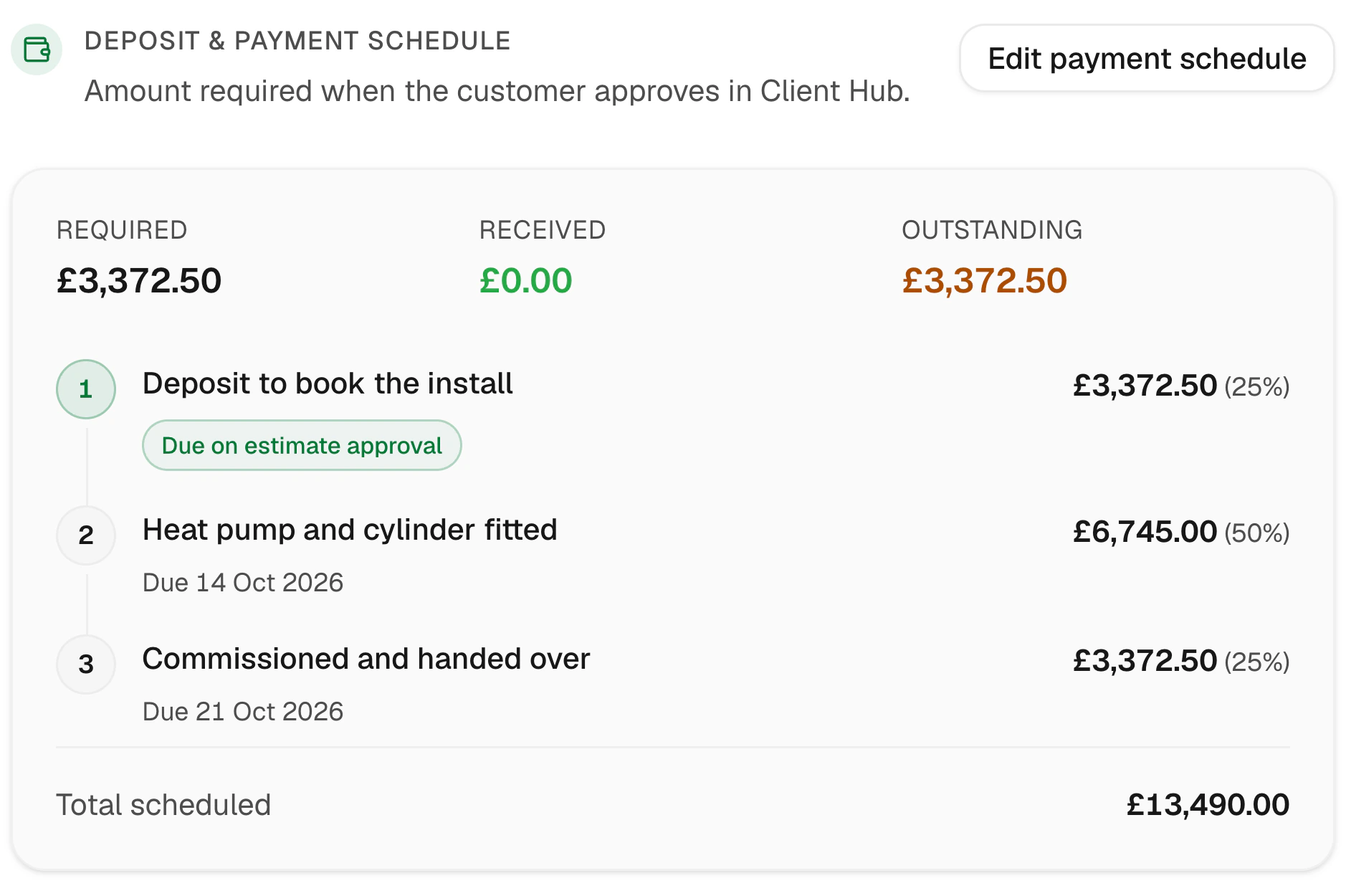
Split big jobs into a deposit, stages and a final balance. Each stage invoice is raised in a click with the right amount.
- Agreed on the estimate
- Deposit credited automatically
- Stage invoices in one click
- Balance worked out for you
Customer story
“I'm not a computer person and I was worried about switching. I had it running in an afternoon. My estimates look properly professional now, and customers pay straight from the invoice, so I'm not chasing money.”
Clive L
Painter & decorator · England, UK
Everything invoicing should do
The features that turn invoices into paid invoices.
Card payments
Take cards with Jomioz Payments, powered by Stripe.
Xero sync
Invoices and payments flow into your books.
VAT done properly
Standard, reduced and zero-rated lines, shown clearly.
Payment plans
Split a balance into instalments when a customer needs it.
Credit notes
Correct an invoice properly, with a clear record.
Bank transfers too
Record bank, cash or cheque payments in seconds.
FAQs
How do customers pay?
By card from the pay link on every invoice and reminder, through Jomioz Payments (powered by Stripe). You can also record bank transfers, cash and cheques.
Does it sync with Xero?
Yes. Invoices and payments sync to Xero automatically once you connect it.
Can reminders go out automatically?
Yes. Choose when the first reminder goes and how often after that, and Jomioz does the rest.
Are deposits taken off the final invoice?
Yes. Anything already paid is credited on the invoice, so the customer only sees what’s left.
Get paid faster, starting this week
Start free for 14 days. No card needed.
Sign up with email · 14 days free · No credit card required · Cancel anytime