
Estimates that win the job on the spot
Give customers real choices, let them sign on their phone and take the deposit in the same step. No chasing, no paperwork.
Sound familiar?
Great work, lost at the estimate
They said they’d think about it, and I never heard back.
A PDF in an inbox is easy to ignore. Nothing asks the customer to decide.
They went with the cheaper quote.
With one price on the table, the lowest number wins by default.
I ordered the parts, then they cancelled.
Without a deposit, you carry the risk for work that hasn’t been agreed.
Here’s how Jomioz fixes it
Make yes the easy answer
Everything that turns an estimate into a booked, paid-for job, in one link.
Start your free trialOffer two or three packages. Customers compare them side by side, choose the thermostat they want and tick extras.
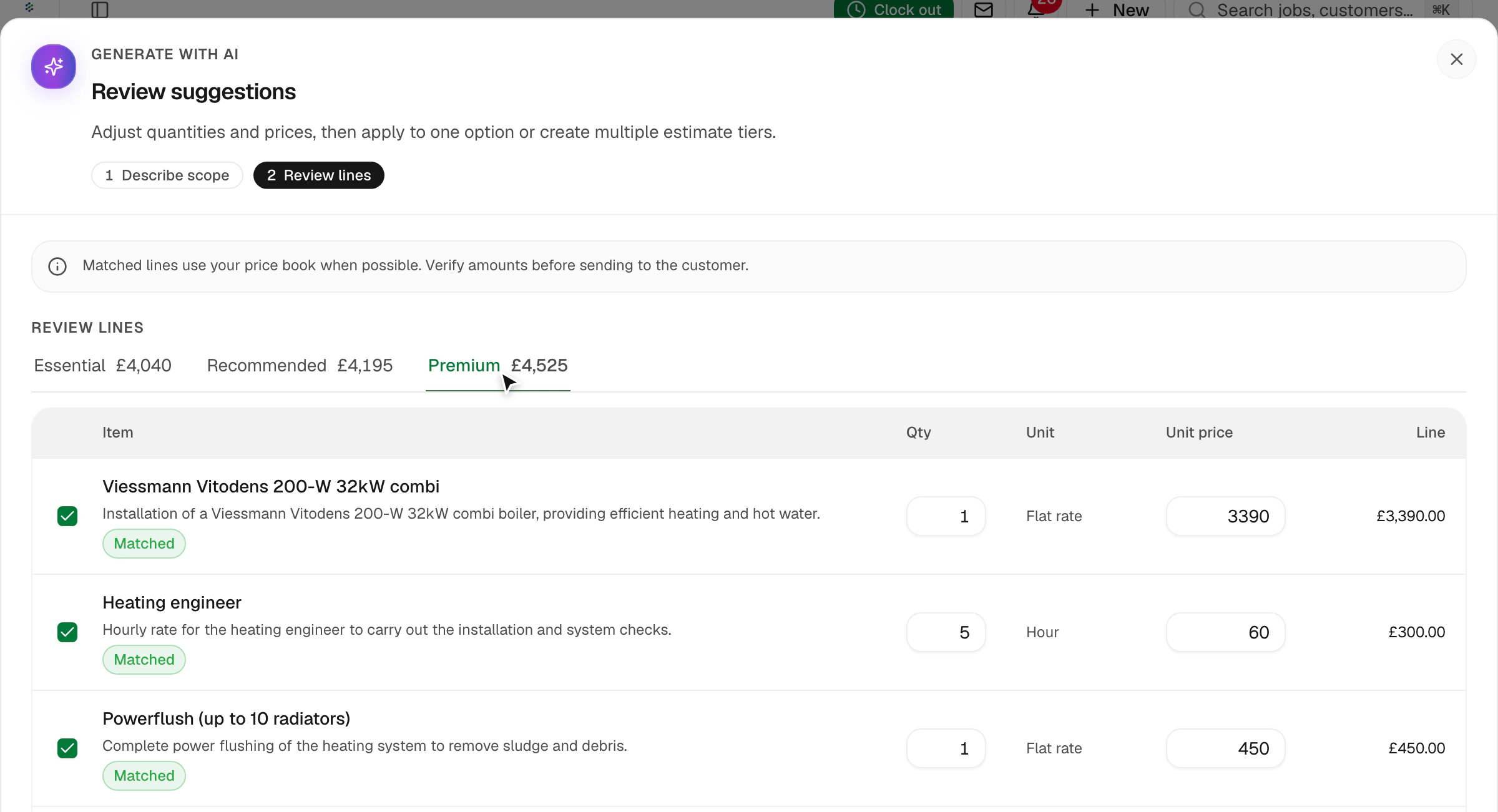
Describe the job and get three priced options from your price list in under a minute.
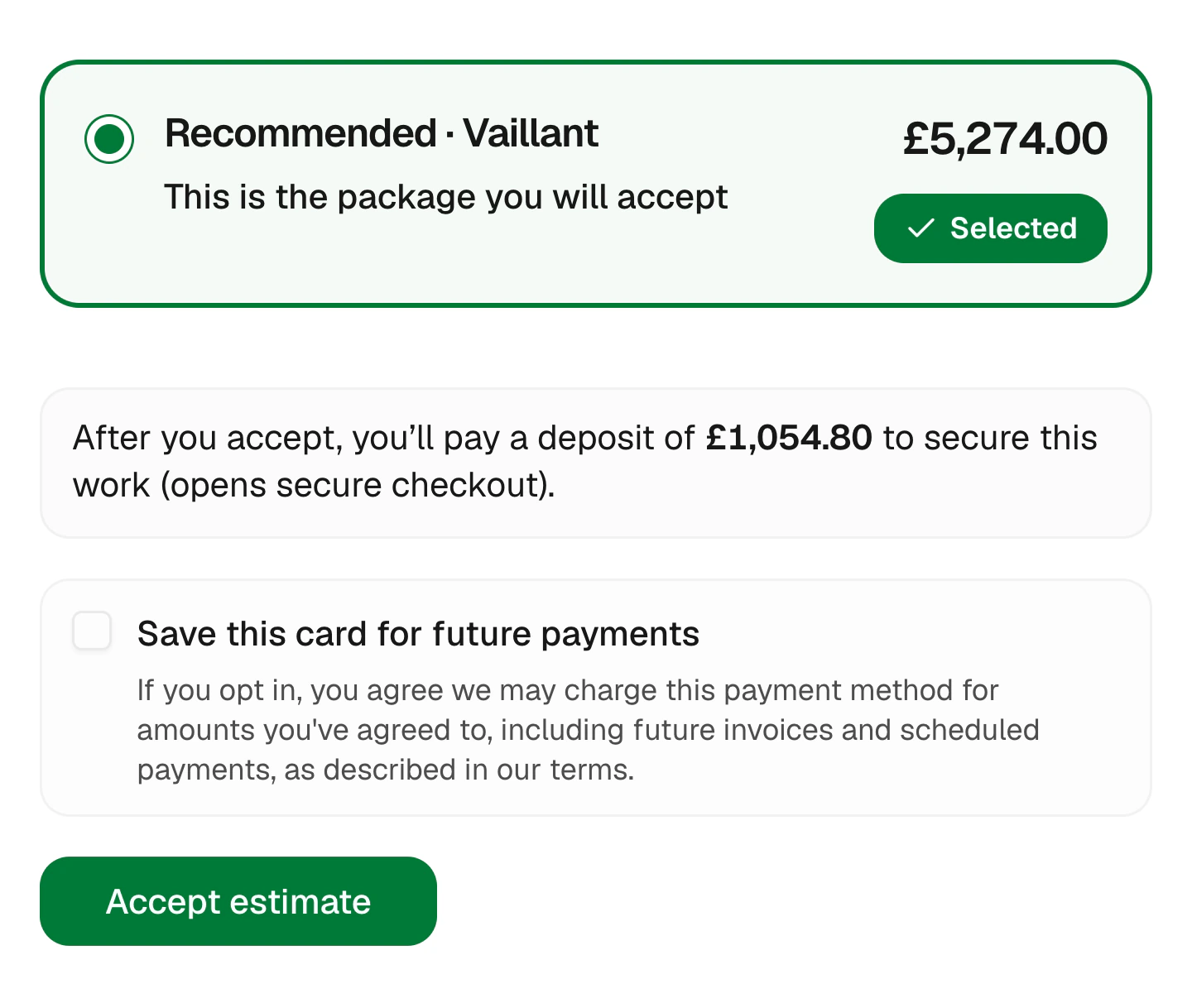
Set a deposit on the estimate. It updates with the package they pick and is paid when they accept.
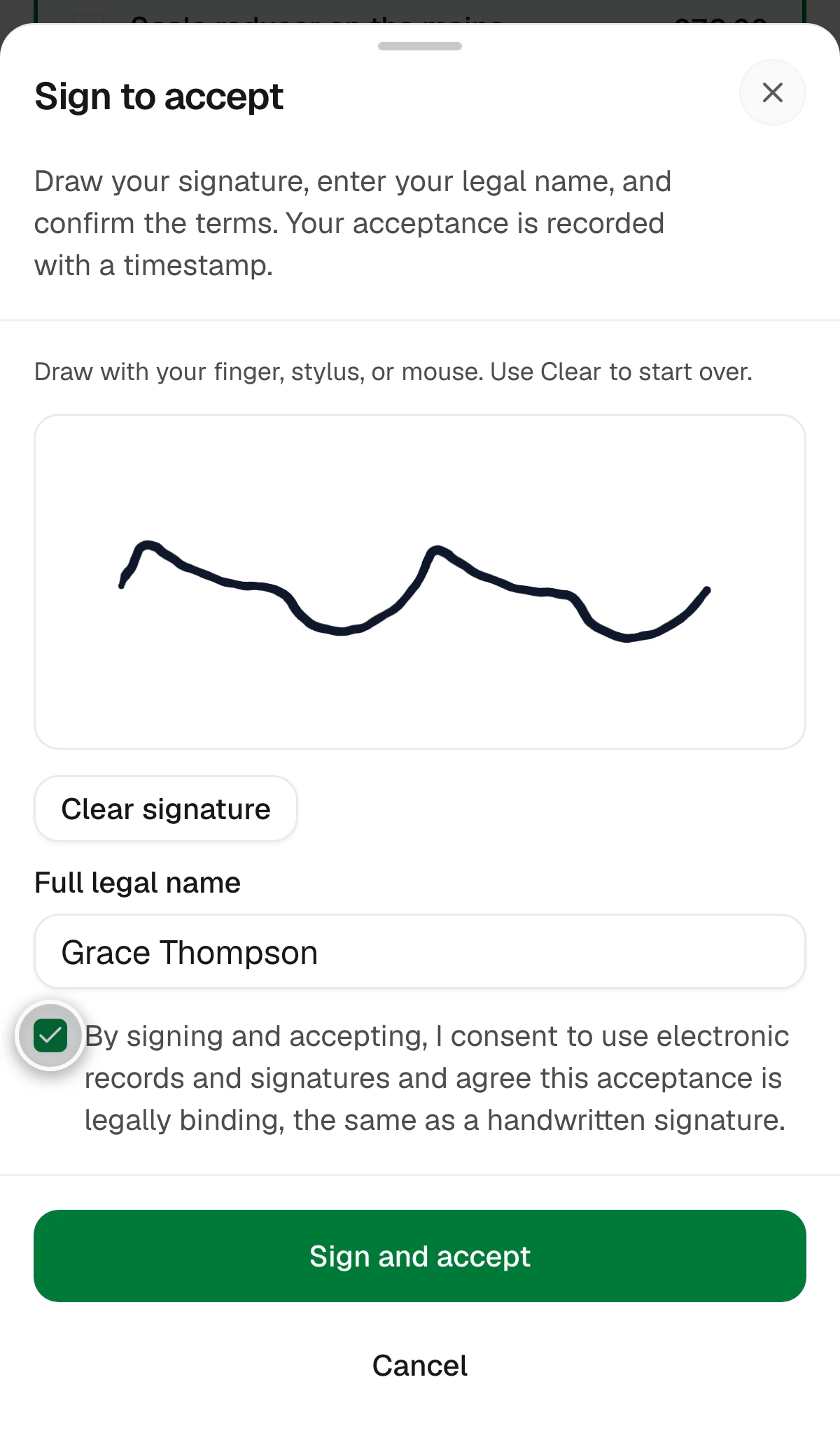
Customers draw their signature and accept. You get a timestamped record for every approval.
Payment schedules
Agree how you’ll be paid before you start
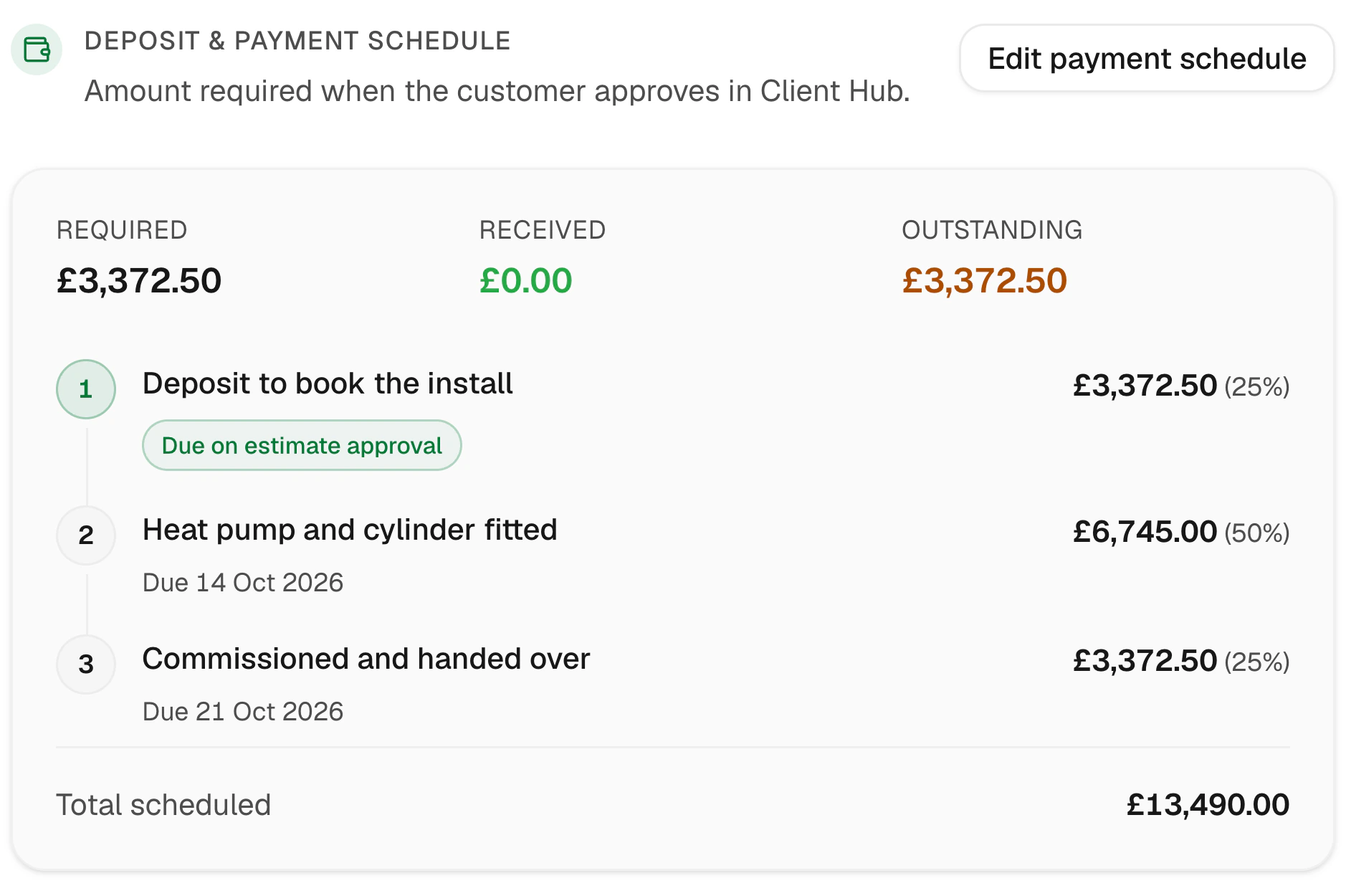
Split bigger jobs into a deposit, stage payments and a final balance on the estimate itself. One tap sets up the usual 25 / 50 / 25.
- Deposit collected on approval
- Name each stage after the work
- Percentages or fixed amounts
- The customer sees the plan upfront
No double entry
Won estimate, one-tap invoice
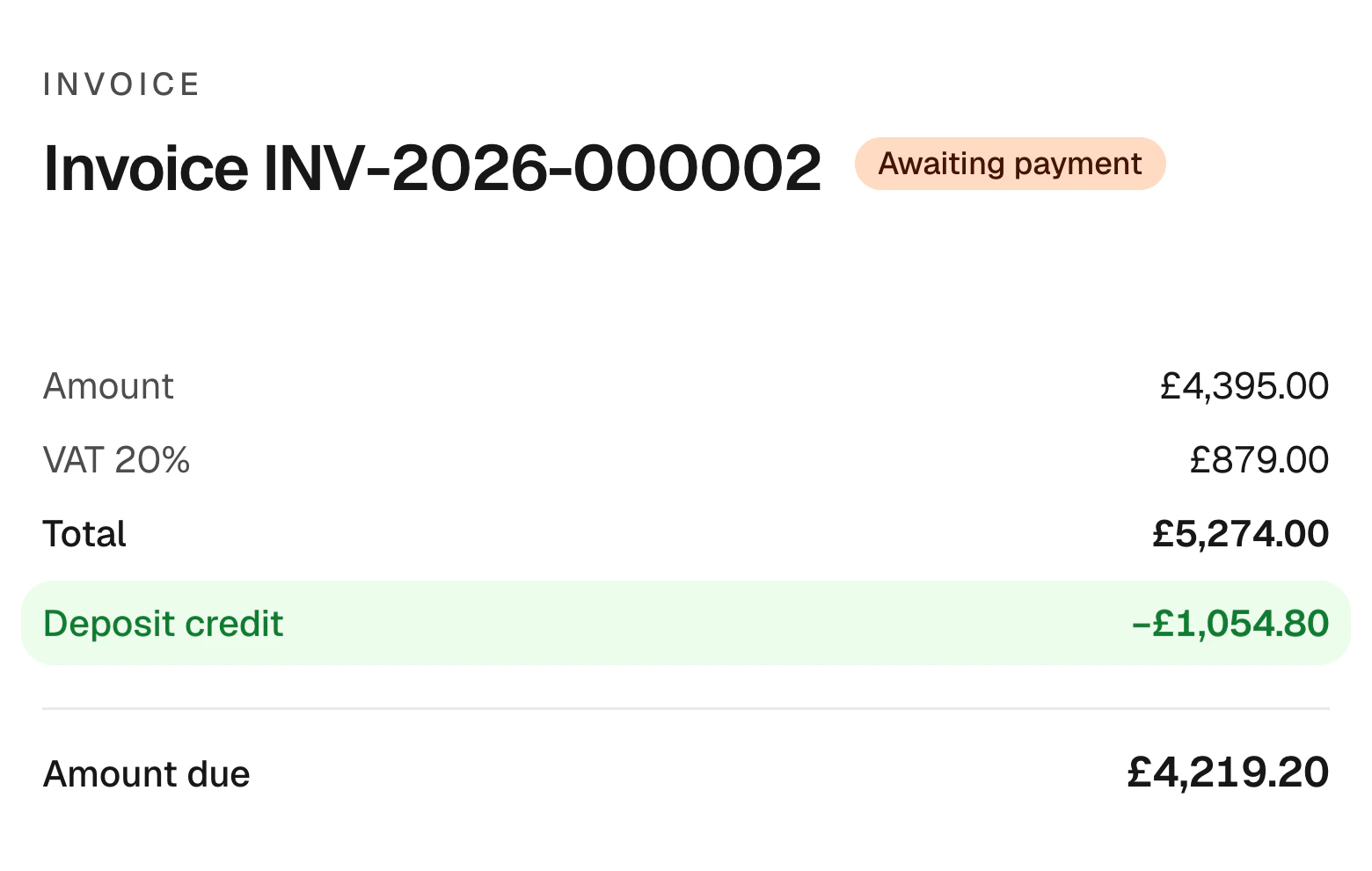
When the work’s done, the invoice builds itself from the estimate. Anything already paid is taken off automatically.
- Lines carried over from the estimate
- Deposit credited on the invoice
- Pay link sent with the invoice
- Reminders if it goes late
Customer story
“I'm not a computer person and I was worried about switching. I had it running in an afternoon. My estimates look properly professional now, and customers pay straight from the invoice, so I'm not chasing money.”
Clive L
Painter & decorator · England, UK
Small touches that close more jobs
The details customers notice, and the ones that save you evenings.
Your price list, everywhere
Services and materials with costs and prices, reused on every estimate.
This or that
Let customers choose between two lines, like a smart or standard thermostat.
Optional extras
Add-ons they can tick, like an extra radiator.
Turns into an invoice
Nothing to retype when the job is done.
Follow-ups for quiet estimates
Switch on a friendly nudge for unanswered estimates.
Looks like your business
Your logo, colours and terms on every estimate.
FAQs
Can customers choose between options?
Yes. Add several packages, pick-one choices and optional extras. The customer chooses online and the total and deposit update to match.
How do deposits work?
Set a percentage or fixed amount on the estimate. It’s paid when the customer accepts and credited on the final invoice.
Can customers sign online?
Yes. They draw their signature on any phone or computer, and the approval is recorded with a timestamp.
Do I have to use the AI?
No. Build estimates by hand from your price list whenever you like. AI is there when it saves time.
Win the next job before you leave the driveway
Start free for 14 days. No card needed.
Sign up with email · 14 days free · No credit card required · Cancel anytime