
Get paid as the work moves
Agree a deposit, stage payments and a final balance on the estimate, then bill each stage in a click as the job moves.
Sound familiar?
Big jobs shouldn’t wreck your cash flow
I’m three weeks into a bathroom and haven’t been paid a penny.
Wages, materials and fuel go out every week. On long jobs, nothing comes in.
Every stage payment turns into a negotiation.
If the plan wasn’t agreed upfront, each invoice feels like a surprise to the customer.
I lose track of what’s been paid on each job.
Working out the balance by hand is where mistakes and disputes start.
Here’s how Jomioz fixes it
Cash flow that matches the job
Set the plan once. Jomioz keeps every stage in step.
Start your free trialPick 25 / 50 / 25 or build your own. Name each stage after the work, like first fix or handover.
The customer sees every stage, amount and due date before they accept.
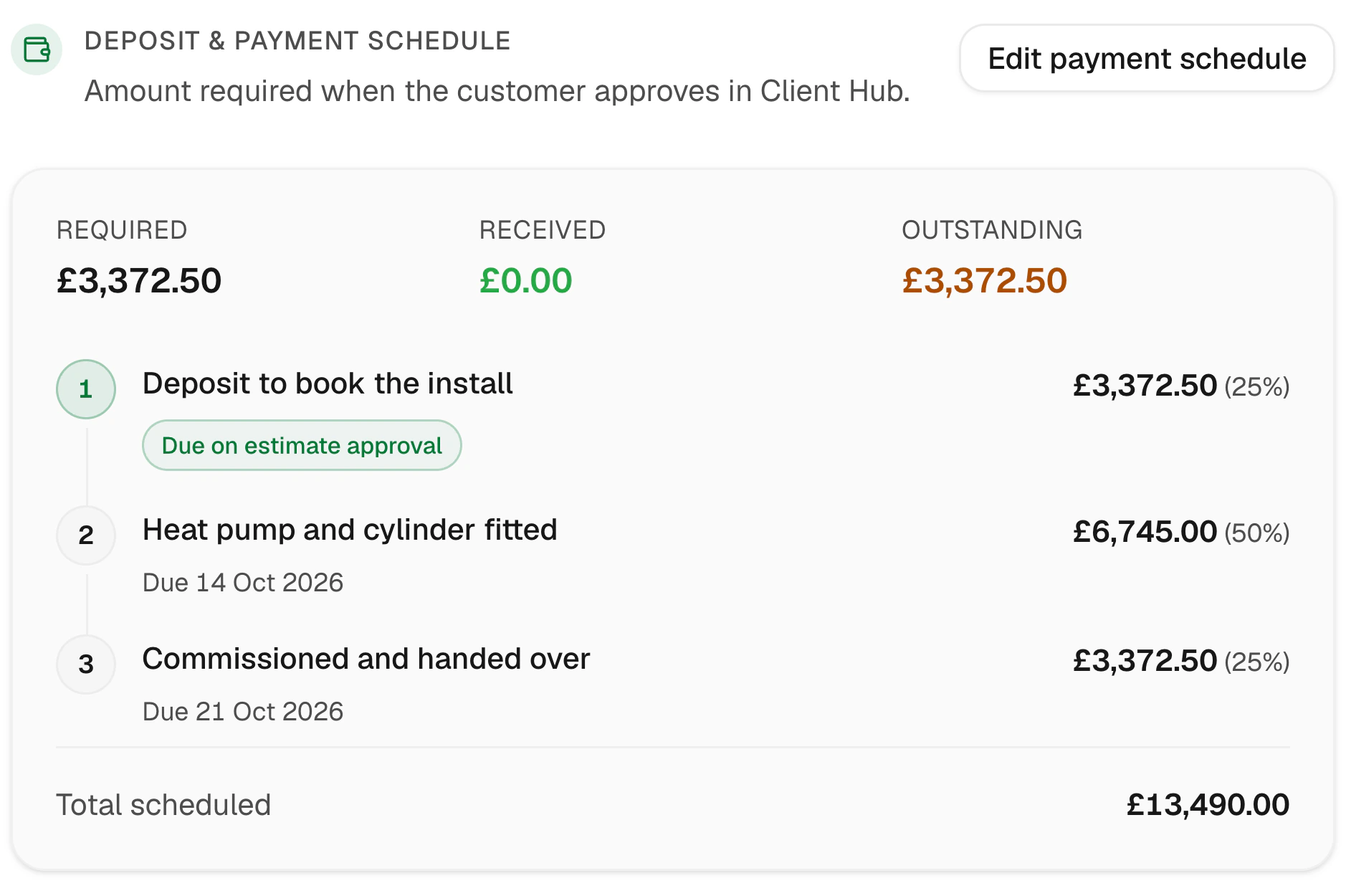
The first stage is paid when they say yes, so the job starts funded.
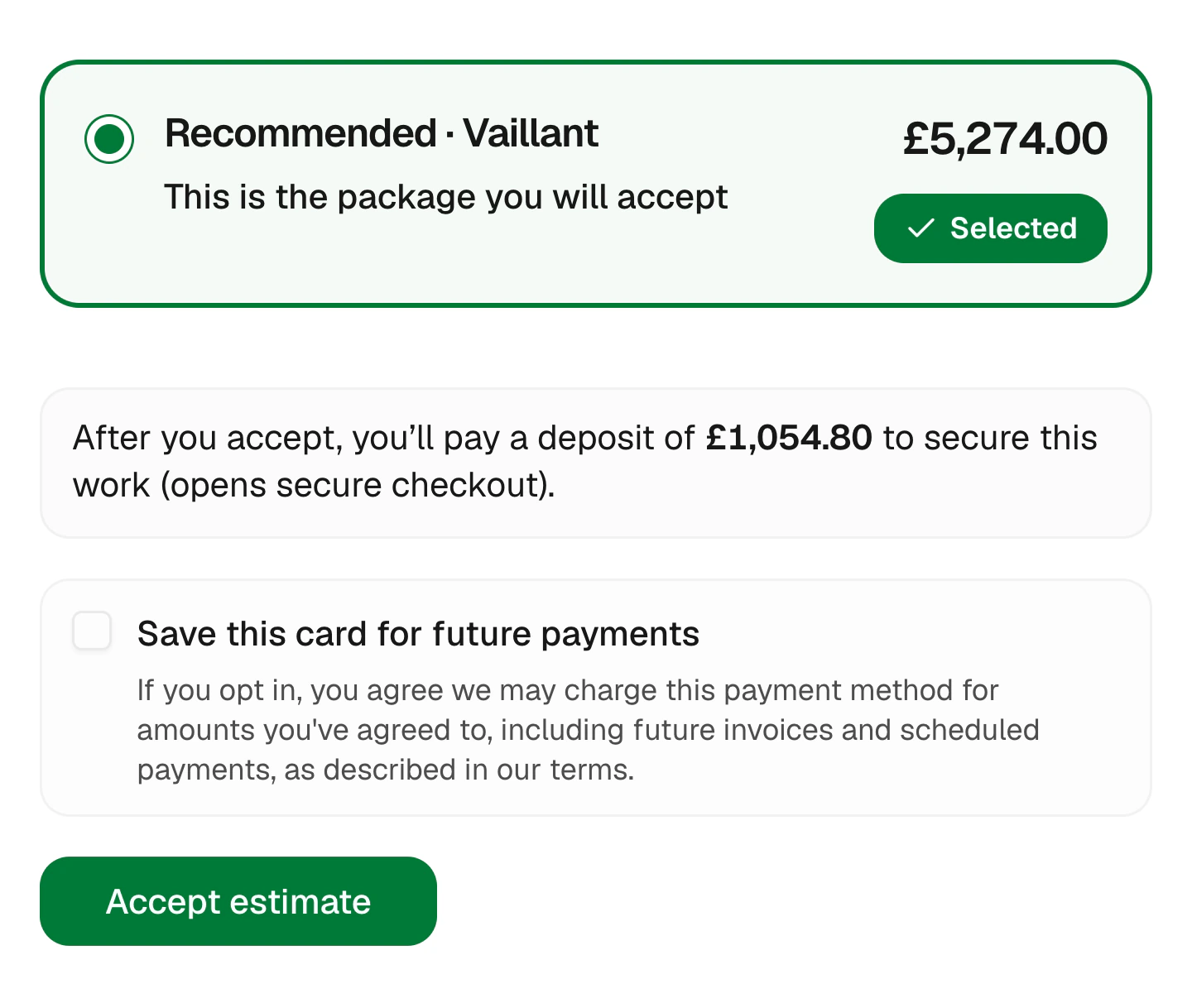
Always adds up
Every stage accounted for
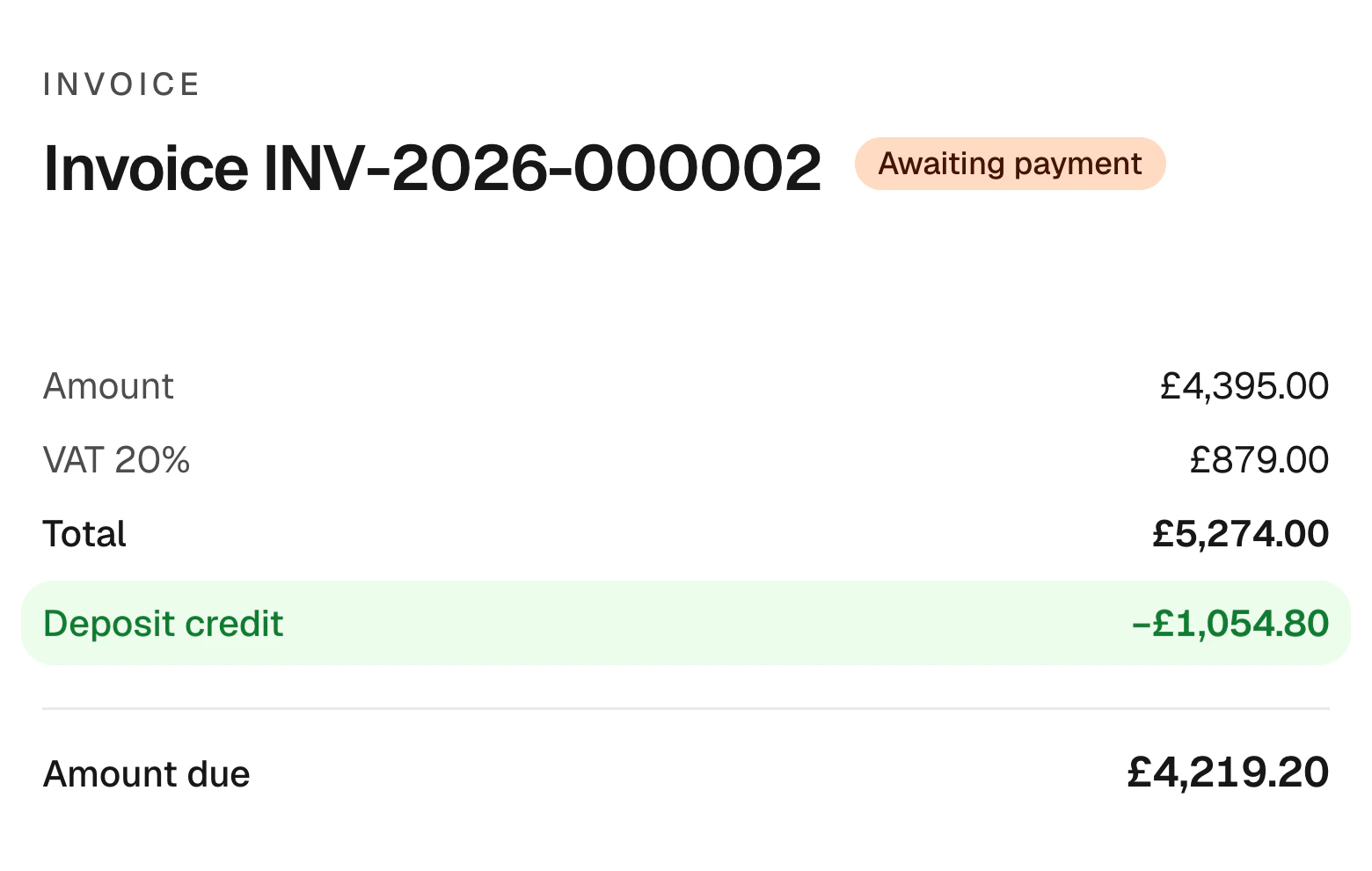
Jomioz tracks what’s been paid against the plan, so each stage invoice and the final balance are always right.
- Deposit credited automatically
- Stage invoices in one click
- Balance worked out for you
- Clear to your customer
No awkward calls
Reminders at every stage
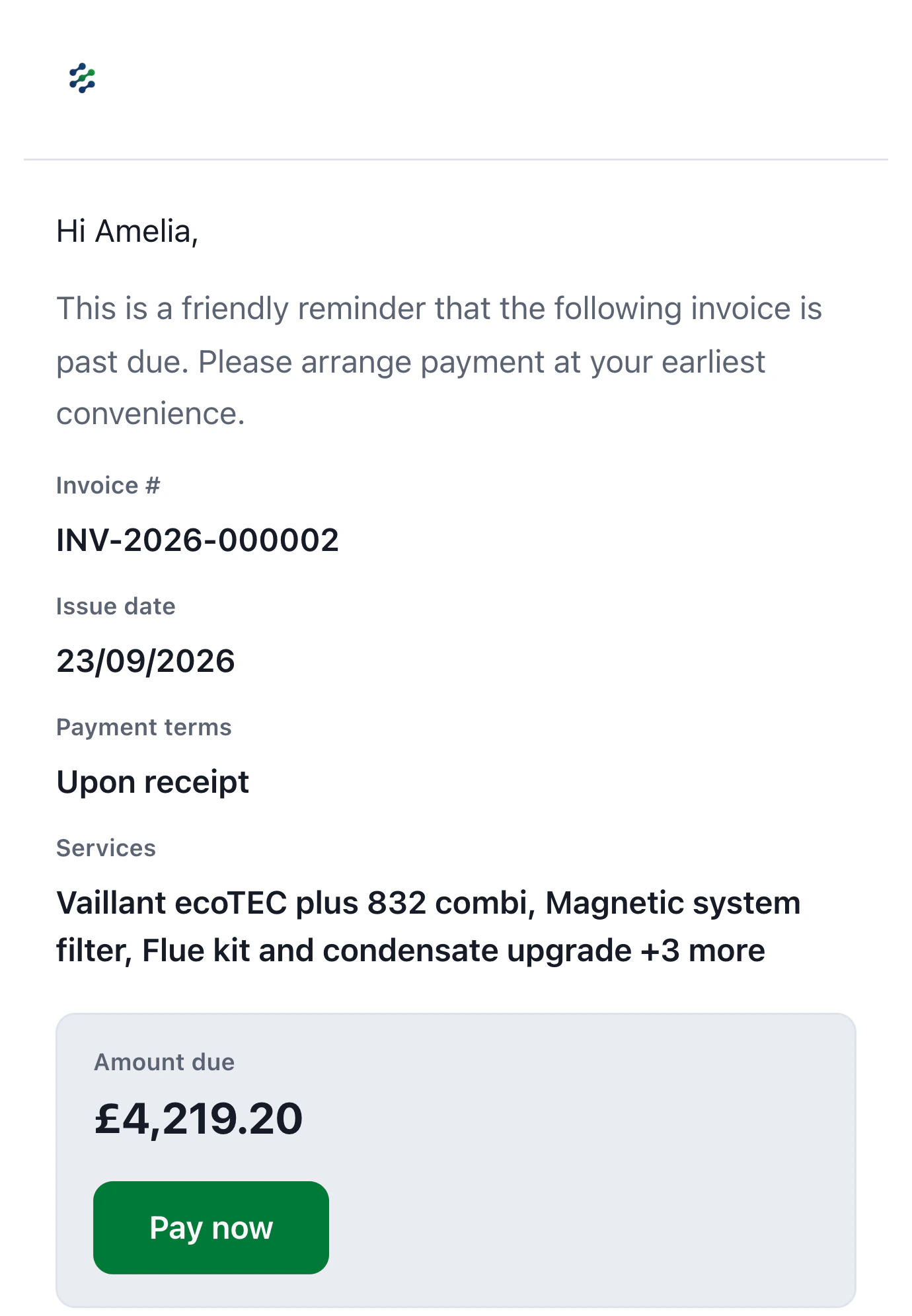
If a stage payment is late, reminders go out on your schedule with a pay link.
- Pay link on every stage
- Reminders on a schedule you set
- See what’s due at a glance
- Customers pay by card
Customer story
“I was running jobs off WhatsApp and a spreadsheet. Now customers pick an option and pay the deposit before I've left the drive, and I can see who's free for the next job at a glance. I was wary of something new, but the support has been brilliant.”
Sam B
Electrical contractor · England, UK
Made for bigger jobs
Installs, renovations and anything that runs over more than a day.
Percent or fixed
Set stages however you price the work.
Due dates
Customers see when each payment is due.
Reminders
Late stages get chased on your schedule.
Card payments
Every stage payable by card.
See what’s coming
Know what’s due over the next few weeks.
On the estimate
The customer agrees the plan when they accept.
FAQs
Can I use fixed amounts instead of percentages?
Yes. Use whichever fits how you price the job.
Does the customer see the schedule?
Yes. It’s shown on the estimate and PDF before they accept, with amounts and due dates.
What happens with the deposit?
The first stage can be collected on approval. It’s credited on later invoices automatically.
Can I change the plan later?
Yes, you can edit the schedule before stages are invoiced.
Get paid while the work is happening
Start free for 14 days. No card needed.
Sign up with email · 14 days free · No credit card required · Cancel anytime