
Take bookings while you’re on the tools
A booking form for your website where customers choose the work, see the price as they go and pick a real free slot.
Sound familiar?
Every missed call is a missed job
I can’t answer the phone with my hands in a boiler.
Customers who reach voicemail ring the next name on the list.
Half my calls are people asking how much.
Pricing the same small jobs over the phone eats hours every week.
Back-and-forth texts just to find a time.
Every “does Tuesday work?” is time you’re not billing.
Here’s how Jomioz fixes it
Bookings that arrive ready to go
Priced, scheduled and on the board, without a single phone call.
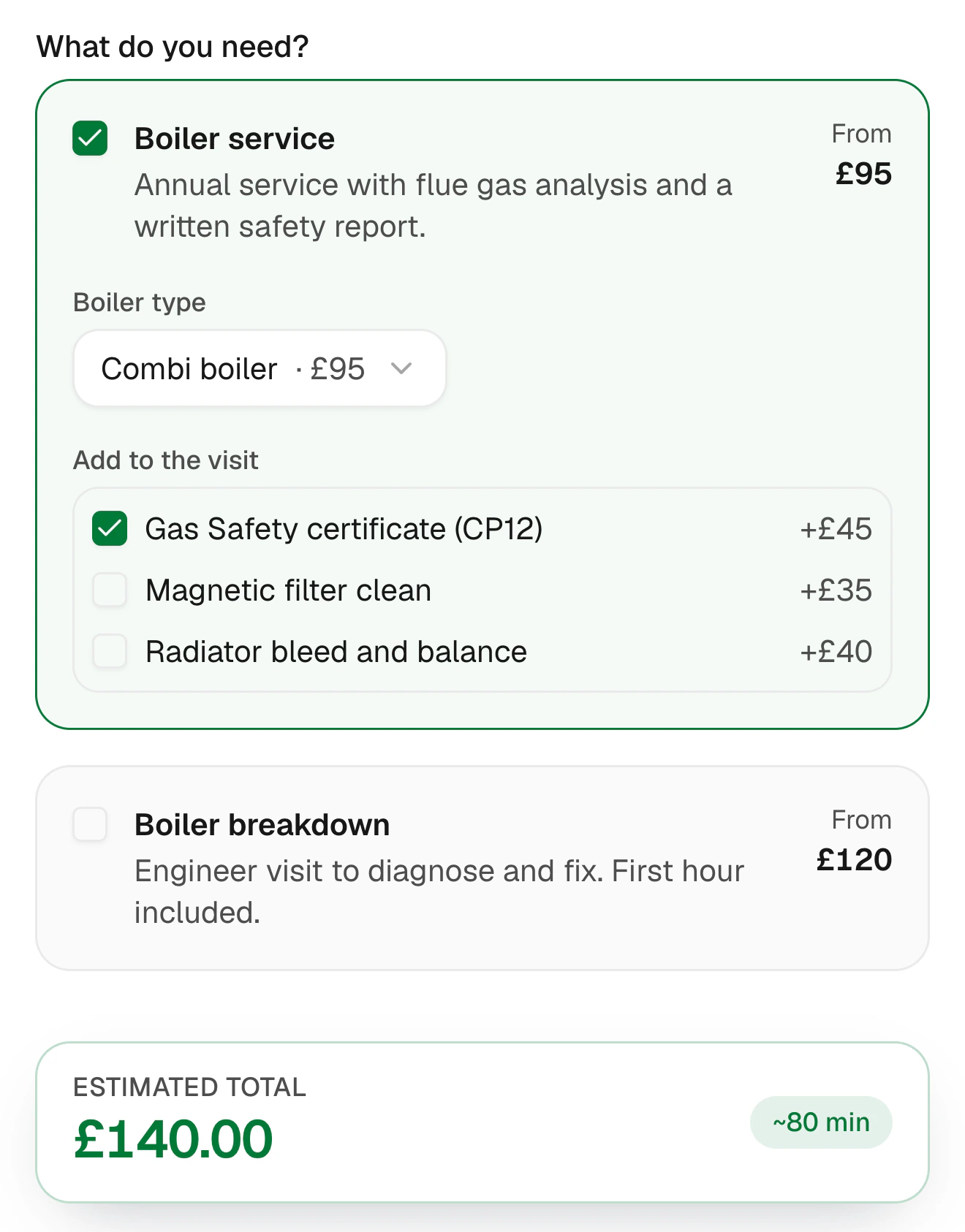
Start your free trialServices show a from price, add-ons show theirs, and the total updates live.
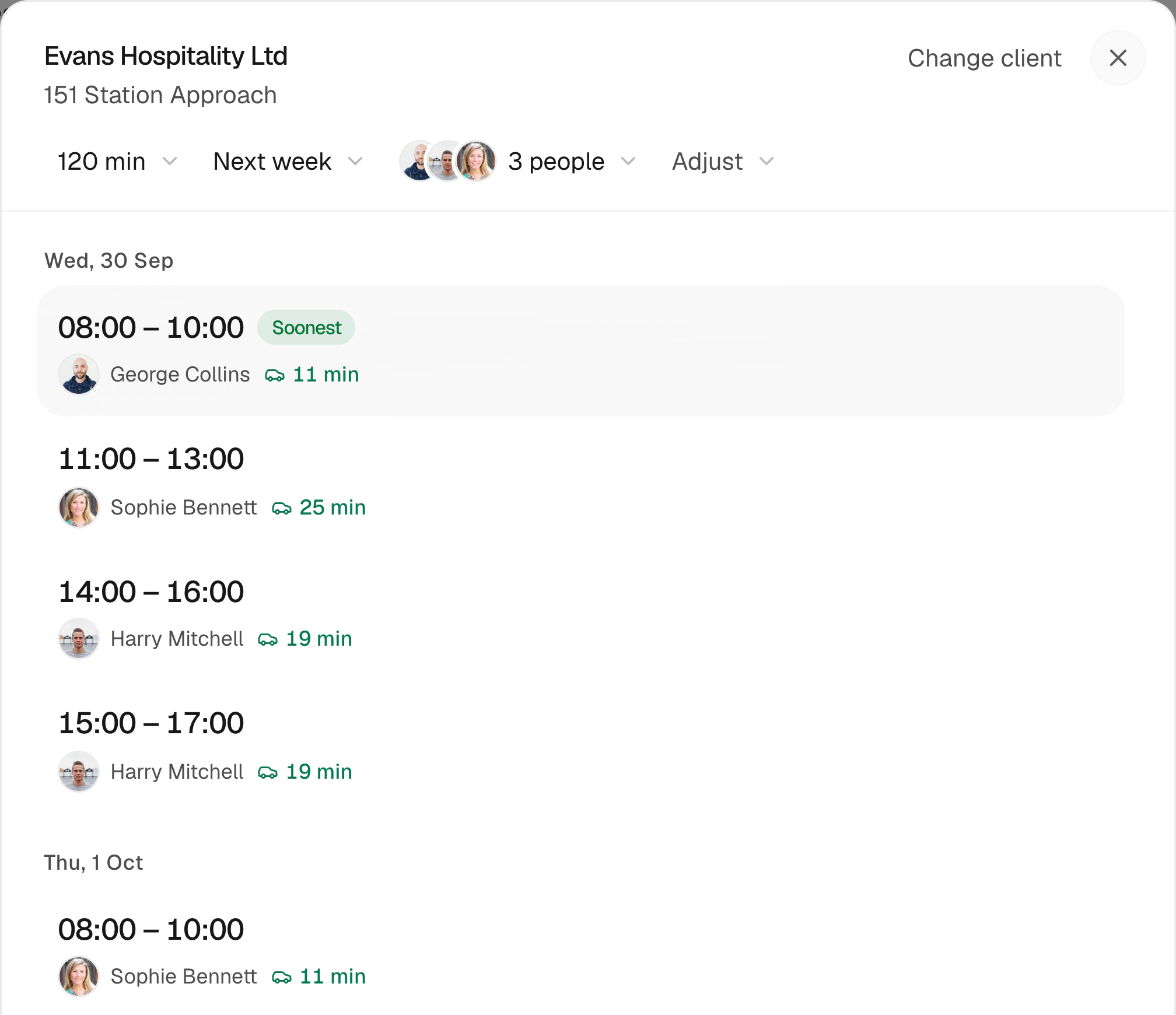
Customers pick from real free slots, allowing for who’s free and travel.
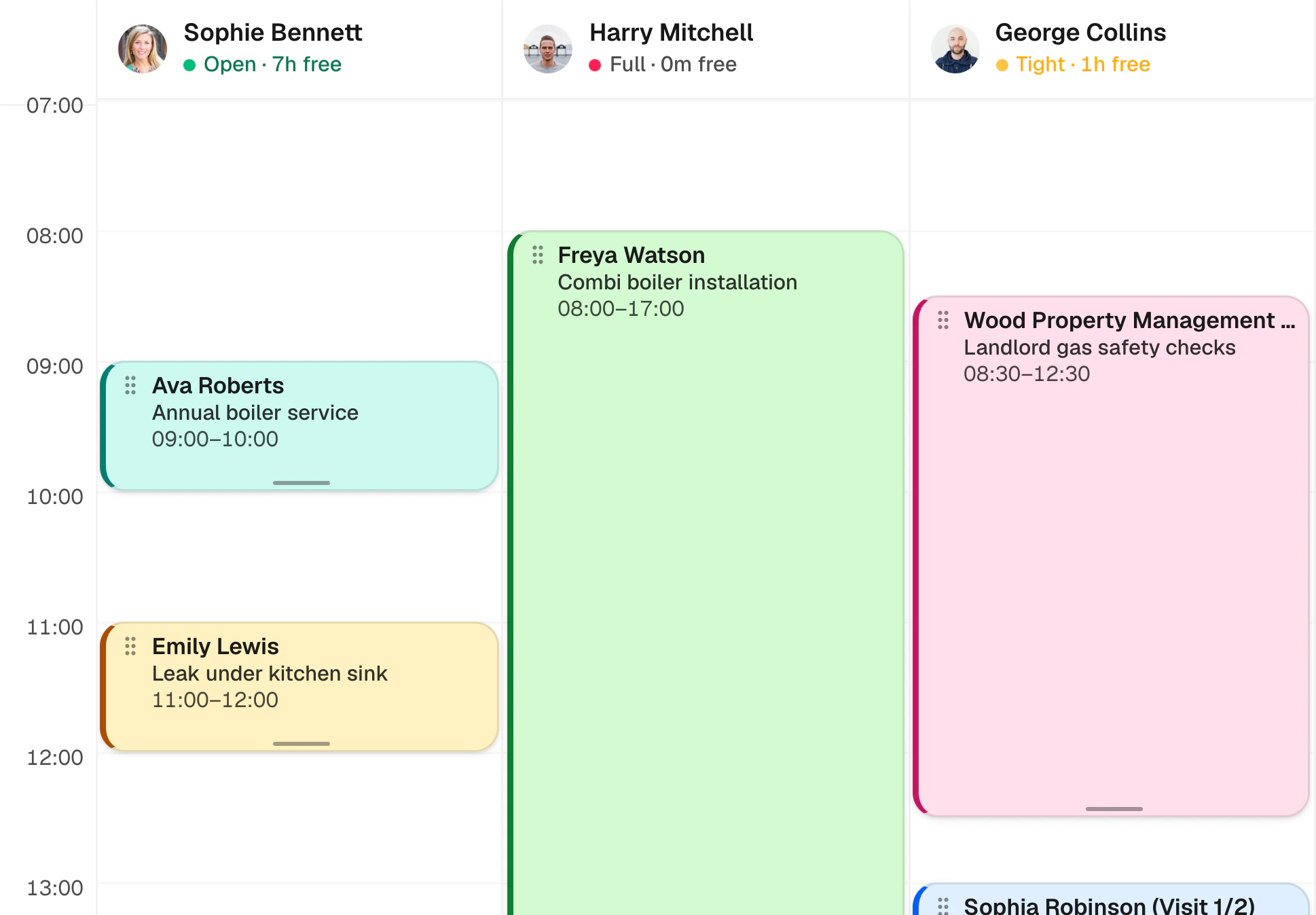
New bookings appear on the dispatch board with the work, the price and the time.
Customers kept in the loop
Confirmed before they close the tab
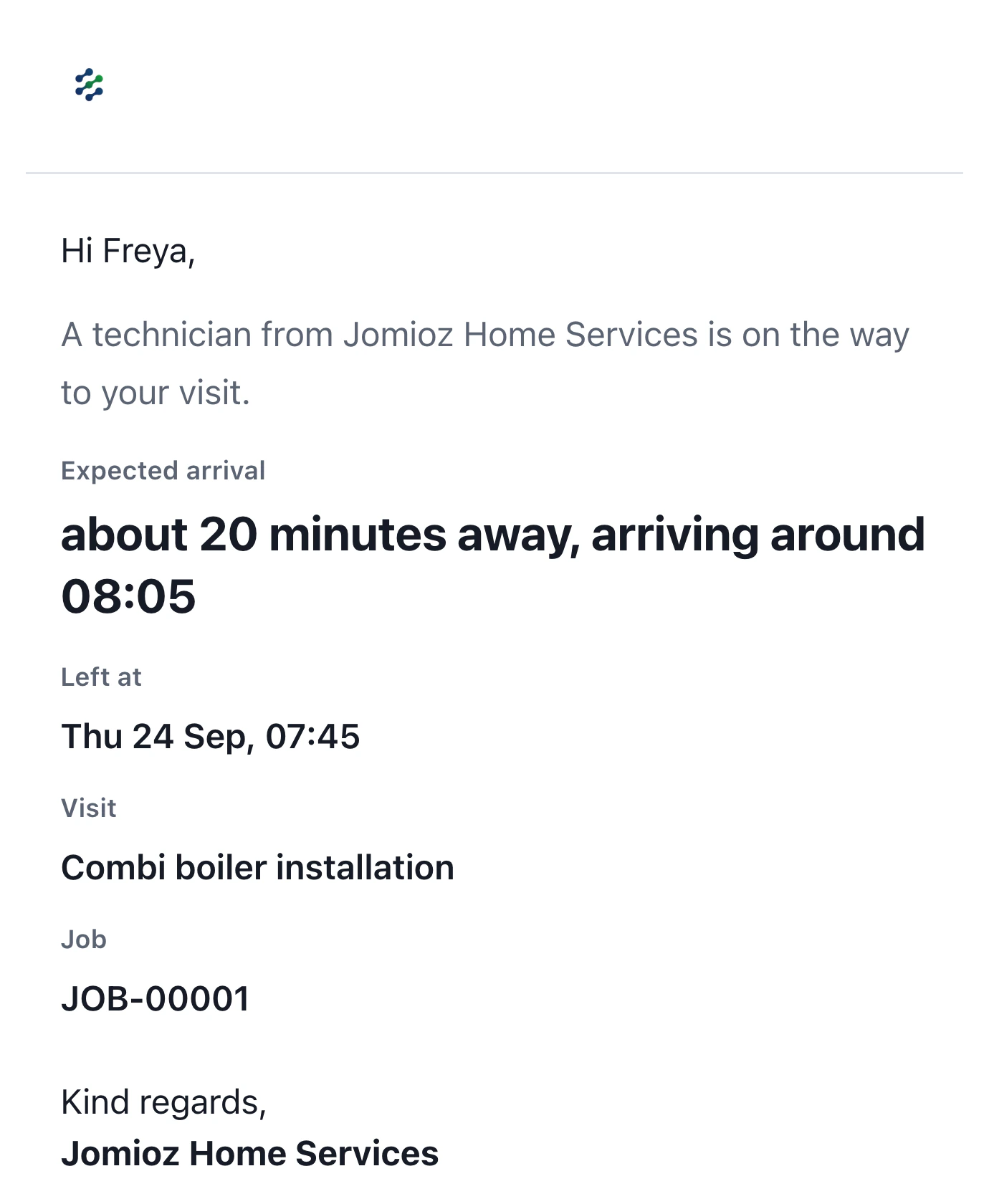
Customers get a confirmation straight away, and your engineer lets them know they’re on the way with one tap.
- Instant confirmation email
- On-my-way with arrival time
- Customers can ask to reschedule
- In their language
Bigger jobs too
From booking to options in one flow
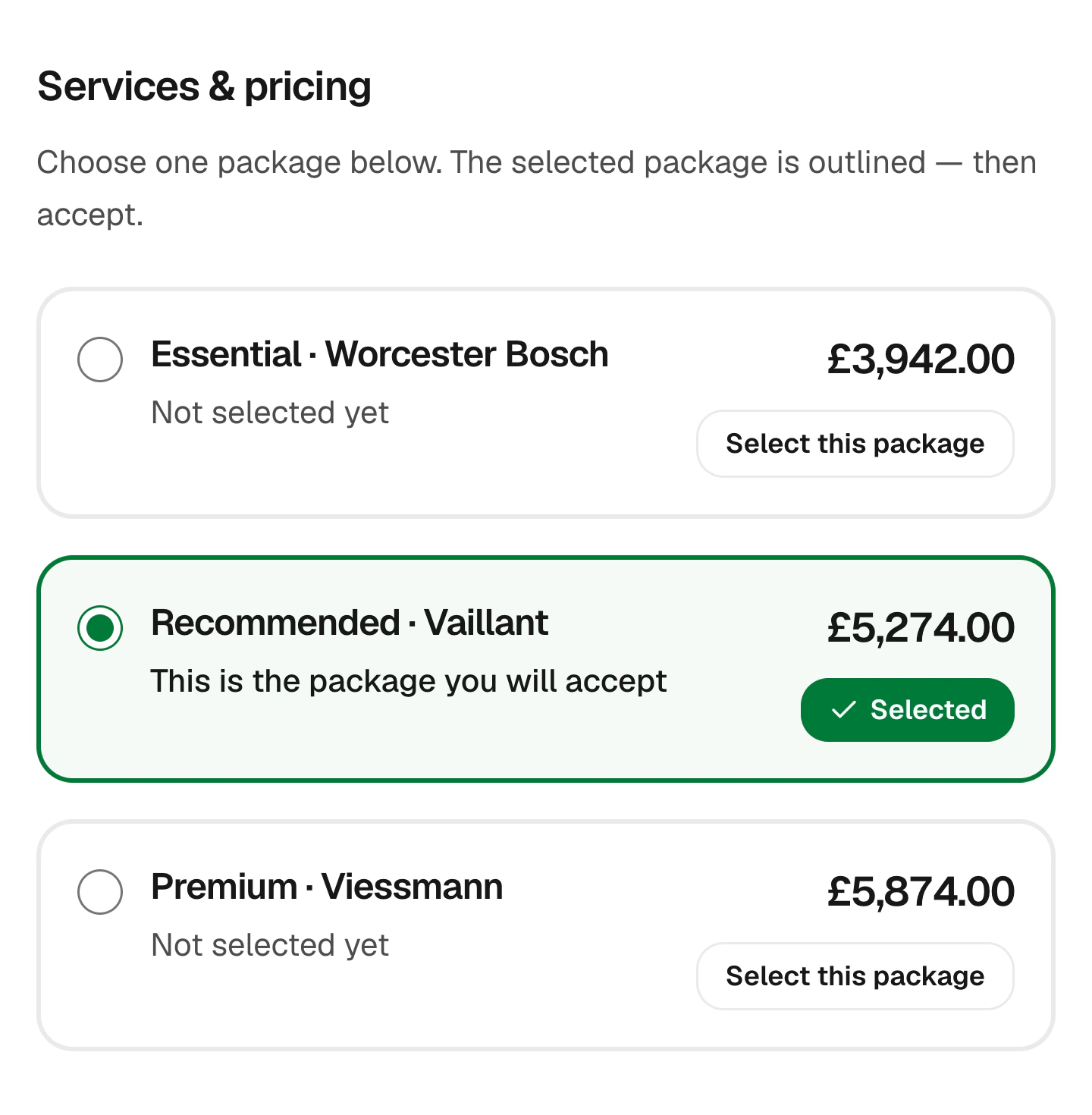
When a visit turns into a bigger job, send good, better and best options they can accept and pay a deposit on.
- Estimate from the visit
- Options they can compare
- Signed on their phone
- Deposit on approval
Customer story
“I was running jobs off WhatsApp and a spreadsheet. Now customers pick an option and pay the deposit before I've left the drive, and I can see who's free for the next job at a glance. I was wary of something new, but the support has been brilliant.”
Sam B
Electrical contractor · England, UK
Everything a booking form needs
Built for trades, not for booking haircuts.
Service address
Customers enter where the work is, with address search.
Your branding
Your logo and colours on the form.
Works on phones
Built for customers booking from their phone.
Confirmation emails
Sent automatically when they book.
Your questions
Add the questions you always ask.
Link or embed
Share the link or add the form to your website.
FAQs
Can customers see prices before booking?
Yes. Each service shows a from price and the total updates as they choose options.
Will they only see times we’re free?
Yes. Slots come from your team’s real availability.
Can I put it on my website?
Yes. Copy the embed code into your website builder, or share the link.
What happens after someone books?
You get a priced request with their details and chosen time, and they get a confirmation.
Let your website take the bookings
Start free for 14 days. No card needed.
Sign up with email · 14 days free · No credit card required · Cancel anytime